
Leírás
Note: This plugin requires you to have an account with Setary. Get started with a 7-day free trial.
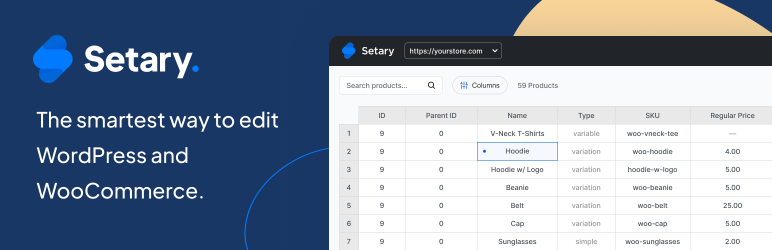
Setary is a complete bulk editor for WordPress and WooCommerce. It loads your content into a lightning-fast spreadsheet so you can update hundreds of records in one place, instead of clicking into each one. It’s also a full WooCommerce inventory management tool, with bulk stock management, pricing updates, and multi-store inventory management built in.
You can bulk edit posts, pages, media, custom post types, taxonomies, and WooCommerce products and variations – all from the same interface. That includes core fields, custom fields from plugins like ACF and Pods, and SEO metadata from Yoast and Rank Math.
Connect your WordPress or WooCommerce site to Setary with this helper plugin and start bulk editing your content in a spreadsheet.
Want to try before you buy? Spin up a demo store and try Setary for yourself.
Bulk Edit Any WordPress Post Type
Edit posts, pages, media, and any custom post type registered on your WordPress site – events, courses, listings, staff profiles, portfolio items, and anything else added by your theme or plugins. Each post type appears as its own tab in the spreadsheet.
Bulk Edit WooCommerce Products and Variations
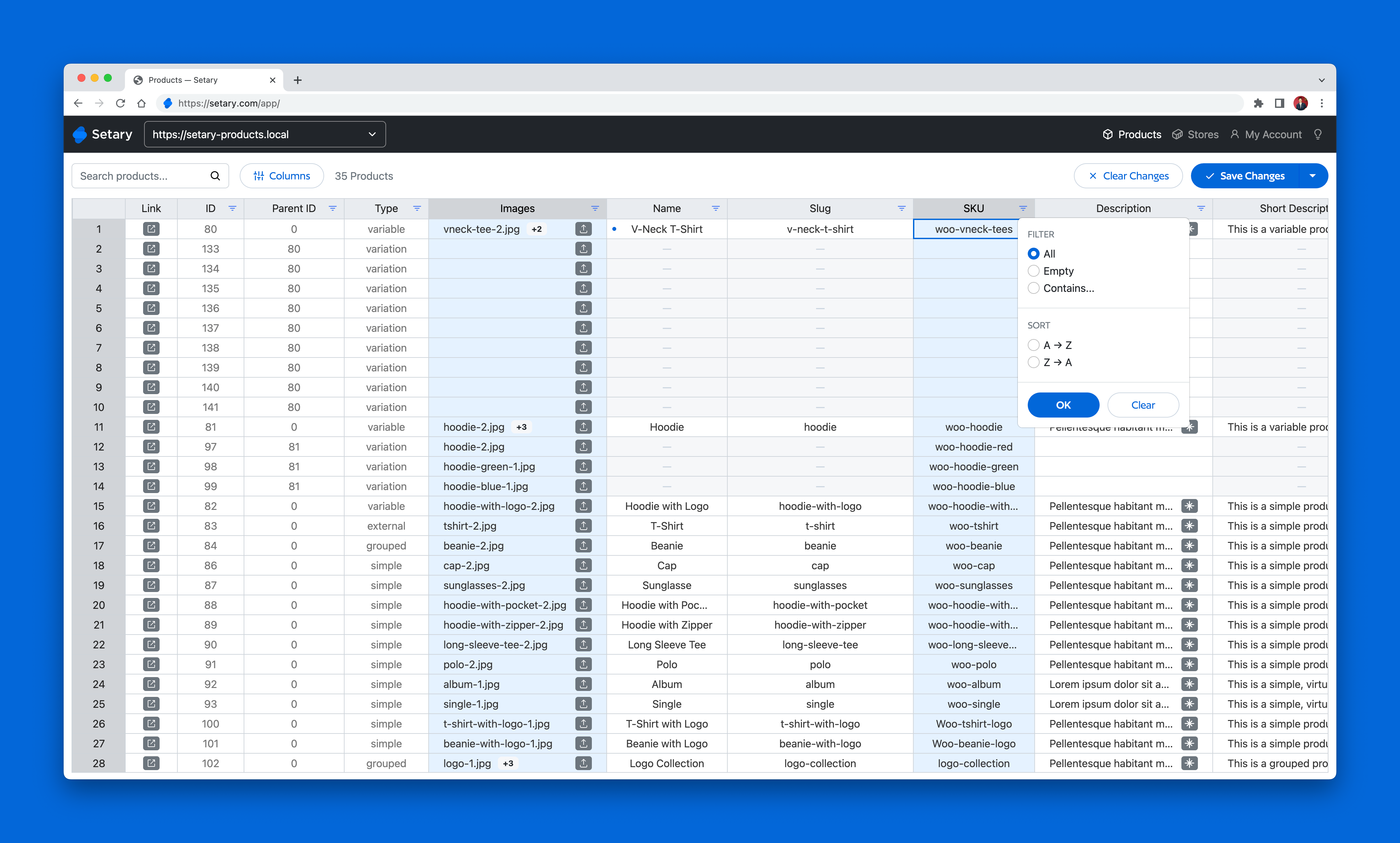
Setary’s WooCommerce inventory management spreadsheet lets you bulk update WooCommerce stock, prices, titles, descriptions, SKUs, attributes, categories, tags and custom fields across hundreds of products and variations. Each product and variation appears as a row, making variations as easy to edit as the parent product.
Manage Categories, Tags, Attributes and Custom Taxonomies
Manage your WordPress and WooCommerce taxonomies directly in their own tabs, instead of only editing them per-post or per-product. This makes it much faster to clean up or restructure how your content and product catalog are organized.
Edit Custom Fields and SEO Metadata
Setary reads custom fields registered by any plugin and lets you edit them in the spreadsheet. That covers Advanced Custom Fields, Pods, Meta Box, Yoast SEO and Rank Math.
Advanced Bulk Actions
Filter the spreadsheet, select multiple records, and apply bulk edits in one go. Increase or decrease prices by a percentage, add sale prices, append text to titles, replace words, and more.
Manage Multiple WordPress and WooCommerce Sites
Add multiple WordPress and WooCommerce sites to Setary and manage them all in one place. If you run the same products across multiple WooCommerce stores, you can push changes from one store to others by matching products on Name, SKU, Slug or ID. It’s perfect for multi-location inventory management.
Import and Export WooCommerce Products
Quickly add new WooCommerce products and variations either by using the Import from CSV button or by creating new rows in the spreadsheet. Export your products to CSV at any time.
Bulk Edit WooCommerce Product Descriptions with AI
Setary’s AI assistant suggests improved versions of your existing WooCommerce product descriptions. Run the AI tool, pick the version you prefer, and apply it across multiple products.
3rd Party Integrations
Setary integrates with Advanced Custom Fields (ACF), LifterLMS, WP Fusion and more. Got a suggestion for a new integration? Get in touch.
Lightning-Fast
Setary runs outside of your WordPress site and connects via the WooCommerce and WordPress APIs, so it doesn’t slow down your admin or your visitors. Even on large sites with thousands of records, the spreadsheet loads instantly.
Affordable WordPress and WooCommerce Bulk Editing
Managing your WordPress content and WooCommerce inventory needn’t cost the world. Setary’s prices start from just $12/mo. Get started today with a free 7-day trial.
Fast Support
If you run into an issue, we’ll be on hand to help. Setary is customer-driven, and your happiness is important to us.
Képernyőmentések



Telepítés
- Install the plugin through the WordPress plugins screen, or upload the plugin files to
/wp-content/plugins/setary/. - Activate the plugin through the ‘Plugins’ screen in WordPress.
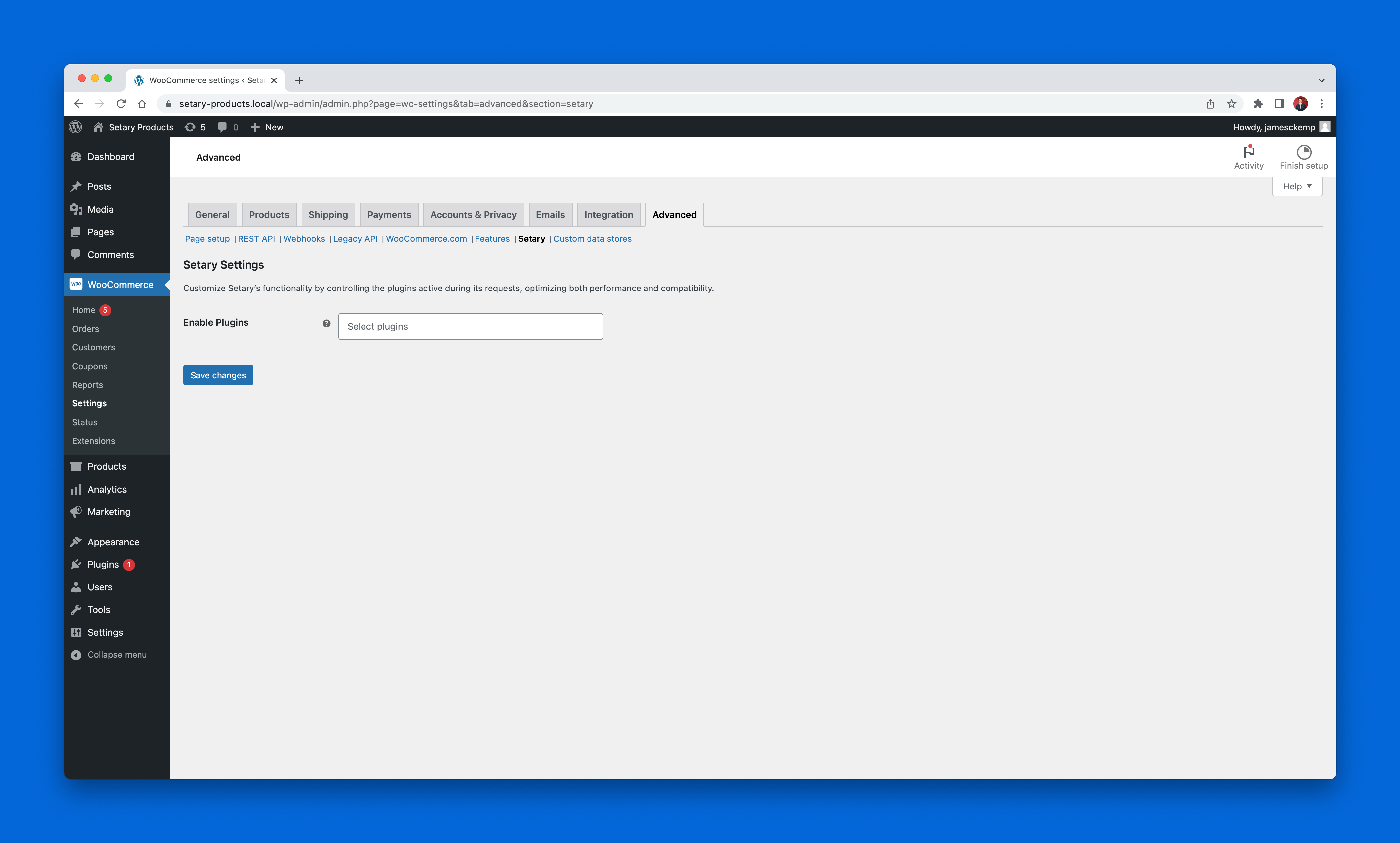
- Go to Settings > Setary in your WordPress admin and tick the post types and taxonomies you want to bulk edit.
- Follow the onscreen setup instructions to connect your WordPress or WooCommerce site to Setary.
GYIK
-
Do I need an account with Setary?
-
Yes. To use this plugin, you will need to create an account on Setary.
-
What can I bulk edit with Setary?
-
Setary bulk edits posts, pages, media, any custom post type registered on your WordPress site, and WooCommerce products and variations. You can also manage categories, tags, attributes and custom taxonomies in their own tabs. Custom fields from plugins like ACF and Pods are supported, as is SEO metadata from Yoast and Rank Math.
-
Does Setary work with custom post types from my theme or plugins?
-
Yes. Any post type registered on your WordPress site appears as its own tab in the Setary editor. That includes post types created by themes, plugins or custom code – for example events from The Events Calendar, courses from LearnDash, or listings from a directory plugin.
-
Does Setary store my data?
-
No. Setary doesn’t store any of your WordPress or WooCommerce data on its servers. It connects to your site via the API and updates your content and inventory in real time.
-
How does Setary work?
-
Setary pulls your content from your WordPress or WooCommerce site via the API and loads it into a spreadsheet. When you save your changes, Setary pushes the updated cells back to your site.
This helper plugin makes it easier to fetch posts, WooCommerce products and variations from your site, and lets us choose which fields are fetched in order to improve performance.
-
Do you have a demo I can try?
-
Yes. You can spin up a demo store and try Setary for yourself. The demo resets after 48 hours, so make any changes you like.
-
How do I activate the WordPress post types I want to bulk edit?
-
Go to Settings > Setary in your WordPress admin and tick the post types and taxonomies you want to be able to bulk edit. They’ll then appear as tabs along the bottom of the spreadsheet in the Setary app, alongside your WooCommerce products.
-
How many records can I manage?
-
There’s no limit on how many WordPress posts or WooCommerce products you can manage with Setary. To make the spreadsheet easier to use on large sites, you can filter the list by any field and save your favorite filter combinations.
-
Can I edit WooCommerce products AND variations?
-
Yes. Both products and variations appear as rows in the spreadsheet, so bulk editing variations is just as easy as editing the parent product.
-
Do you have a free trial?
-
Yes. You can sign up for a free 7-day trial to try Setary.
-
Can I cancel at any time?
-
Yes. You can cancel at any time, and you won’t be charged anything if you cancel within the first 7 days.
-
Can I upgrade or downgrade my plan?
-
Yes, at any time.
-
Can I use Setary with multiple WordPress or WooCommerce sites?
-
Yes. You can add multiple WordPress and WooCommerce sites to Setary and manage them all in one place.
-
What are Setary’s terms?
-
Take a look at our Terms & Conditions page for more information. You can also view our Privacy Policy page.
Vélemények


Közreműködők és fejlesztők
“Setary — Bulk Edit WordPress & WooCommerce” egy nyílt forráskódú szoftver. A bővítményhez a következő személyek járultak hozzá:
Közreműködők

“Setary — Bulk Edit WordPress & WooCommerce” fordítása a saját nyelvünkre.
Érdekeltek vagyunk a fejlesztésben?
Browse the code, check out the SVN repository, or subscribe to the development log by RSS.
Változási napló
v1.14.15 (2026-09-17)
- [update] Taxonomy search filters accept pipe-separated terms (e.g.
red|blue) to match any of them
v1.14.14 (2026-09-11)
- [fix] Save WooCommerce variation image galleries (featured + extra images) without wiping existing images
v1.14.13 (2026-08-12)
- [fix] Handle WooCommerce attribute term lookup errors gracefully and log failed taxonomies instead of returning a fatal 500 response
v1.14.12 (2026-08-03)
- [fix] CMS items images filter (one/many/no/query) now filters by featured image
v1.14.11 (2026-07-31)
- [fix] Create ACF repeater subfield meta when increasing row count from Setary (requires ACF enabled in Setary settings)
- [update] Tested up to WordPress 7.0.2
v1.14.10 (2026-06-01)
- [update] Tested up to WordPress 7.0
- [fix] Filter bug fix for taxonomies
v1.14.9 (2026-05-20)
- [update] Welcome page and plugin name wording refresh for WordPress and WooCommerce bulk editing
v1.14.8 (2026-05-18)
- [update] Update wordpress.org assets
v1.14.7 (2026-05-18)
- [update] Plugin readme refresh for WordPress and WooCommerce bulk editing
v1.14.6 (2026-05-06)
- [update] Product Category and Tag support
v1.14.5 (2026-04-28)
- [update] Post Type Featured Image support
v1.14.4 (2026-04-22)
- [update] Stable version update
v1.14.3 (2026-04-21)
- [update] Category and Tag support within Post Type
- [update] Delete WP Item support
- [update] Add WP Item support
v1.14.2 (2026-04-20)
- [update] filter and search support for posts and terms
v1.14.1 (2026-04-20)
- [new] Custom field support for post type and taxonomy
v1.14.0 (2026-04-17)
- [new] WordPress post type and taxonomy support
v1.13.7 (2025-01-15)
- [update] Tested up to WordPress 6.9
v1.13.6 (2025-08-20)
- [fix] Fix for numeric range filters
v1.13.5 (2025-06-10)
- [fix] core fields order bug
v1.13.4 (2025-06-10)
- Stable version update
v1.13.3 (2025-06-02)
- [update] Add WooCommerce 9.9 Brands support
v1.13.2 (2025-05-12)
- [update] Add WP Lister support
v1.13.1 (2025-05-09)
- [update] Stable version confirmation and readme feature update
v1.13.0 (2024-07-04)
- [fix] Clashing of core and meta fields
- [update] Allow extension of Yoast SEO fields
v1.12.1 (2024-05-30)
- [fix] Search SQL prefix
v1.12.0 (2024-05-28)
- [new] Allow search by sku
v1.11.7 (2024-05-28)
- [update] Tested up to WordPress & WooCommerce versions
v1.11.5 (2024-05-28)
- [fix] Issue with attributes not saving as expected
v1.11.4 (2024-01-29)
- [fix] Import issue with variations/variable products
v1.11.3 (2024-01-12)
- [fix] Don’t allow duplicate SKUs
v1.11.0 (2024-01-04)
- [new] Import support
v1.10.2 (2023-11-30)
- [fix] Issue with global attribute outputting slug
v1.10.1 (2023-11-06)
- [fix] Fix visibility filter when filtering visible products
v1.10.0 (2023-10-16)
- [new] Enable product type editing
v1.9.1 (2023-08-17)
- [update] Minor update which allows us to add new core fields via the app without plugin updates
v1.9.0 (2023-08-09)
- [new] LifterLMS Compatibility
- [fix] Update excluded plugin paths to prevent conflicts
v1.8.0 (2023-08-09)
- [new] WP Fusion Compatibility
- [new]
setary_get_store_infofilter - [new]
setary_pre_insert_product_objectaction - [new]
setary_filter_response_by_contextfilter
v1.7.0 (2023-07-20)
- [new] Enable attributes editing
- [new] Declare HPOS compatibility
- [update] Allow specific plugins to be enabled for Setary requests
- [update] Add product type editing errors
- [fix] Fix sorting so variations show after parent
- [fix] Add filtering for description fields
v1.6.0 (2023-05-11)
- [new] Enable sorting by ID, Name, or SKU
v1.5.0 (2023-04-24)
- [new] Batch updates endpoint – improves performance dramatically
- [new] Disable 3rd-party plugins on Setary REST endpoints
- [update] Disable admin notices on the welcome page
v1.4.0 (2023-03-03)
- [new] Enabled the „description” field
- [new] Enabled the „short_description” field
- [new] Introduced an „Enhance with AI” feature to improve descriptions
v1.3.0 (2023-02-15)
- [update] Performance improvements so only visible columns are fetched. This can dramatically reduce the request size.
v1.2.0 (2023-02-14)
- [new] Enabled the „menu_order” field
- [new] Enabled the „width” field
- [new] Enabled the „height” field
- [new] Enabled the „length” field
- [new] Enabled the „shipping_class” field
- [new] Enabled the „weight” field
- [new] Enabled the „tax_class” field
- [new] Enabled the „tax_status” field
v1.1.0 (2023-02-06)
- [new] Enabled product tags
- [new] Enabled pushing to multiple stores
- [fix] Fixed a bug where search by numeric range included decimal values above the max value
v1.0.0 (2023-01-05)
- [new] Enabled column filtering
- [new] Enabled meta data columns
- [new] Enabled column show/hide
v0.5.1 (2022-11-23)
- [fix] Fix string declaration error for < PHP8
v0.5.0 (2022-11-22)
- [new] Enabled Upsell/Cross Sell IDs columns
- [update] Updated the welcome page to indicate what’s coming
v0.4.0 (2022-11-18)
- [new] Enabled sale date to/from columns
v0.3.0 (2022-10-06)
- [new] Ability to manage product images.
v0.2.1 (2022-09-25)
- [new] Welcome page after activating
v0.2.0 (2022-08-09)
- [new] Ability to edit product categories.
v0.1.1 (2022-08-03)
- [fix] Correct permission check when first connecting to Setary.
v0.1.0 (2022-08-01)
- [new] Initial release.