

Leírás
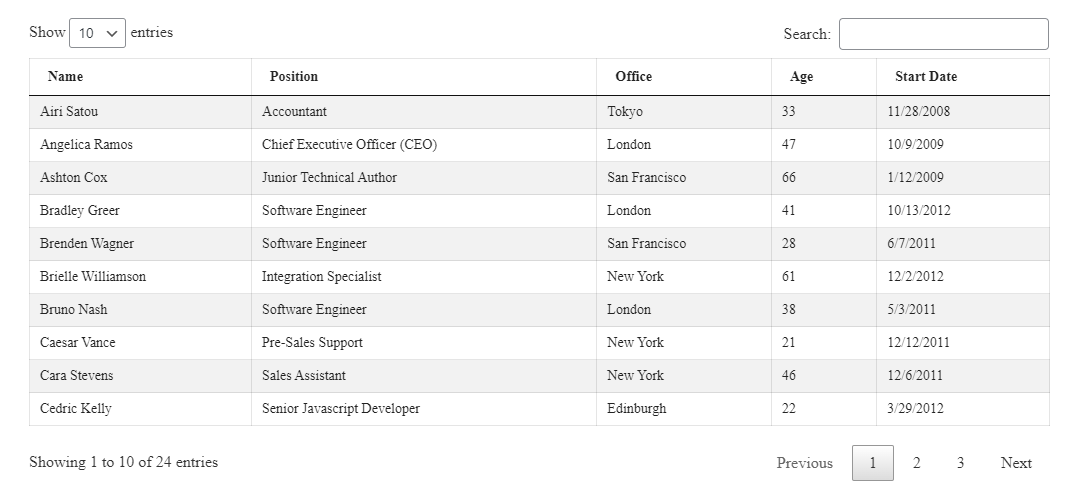
Turn raw data into clean, sortable, filterable tables your visitors can actually read – built visually, with no code required.
Why Data Tables?
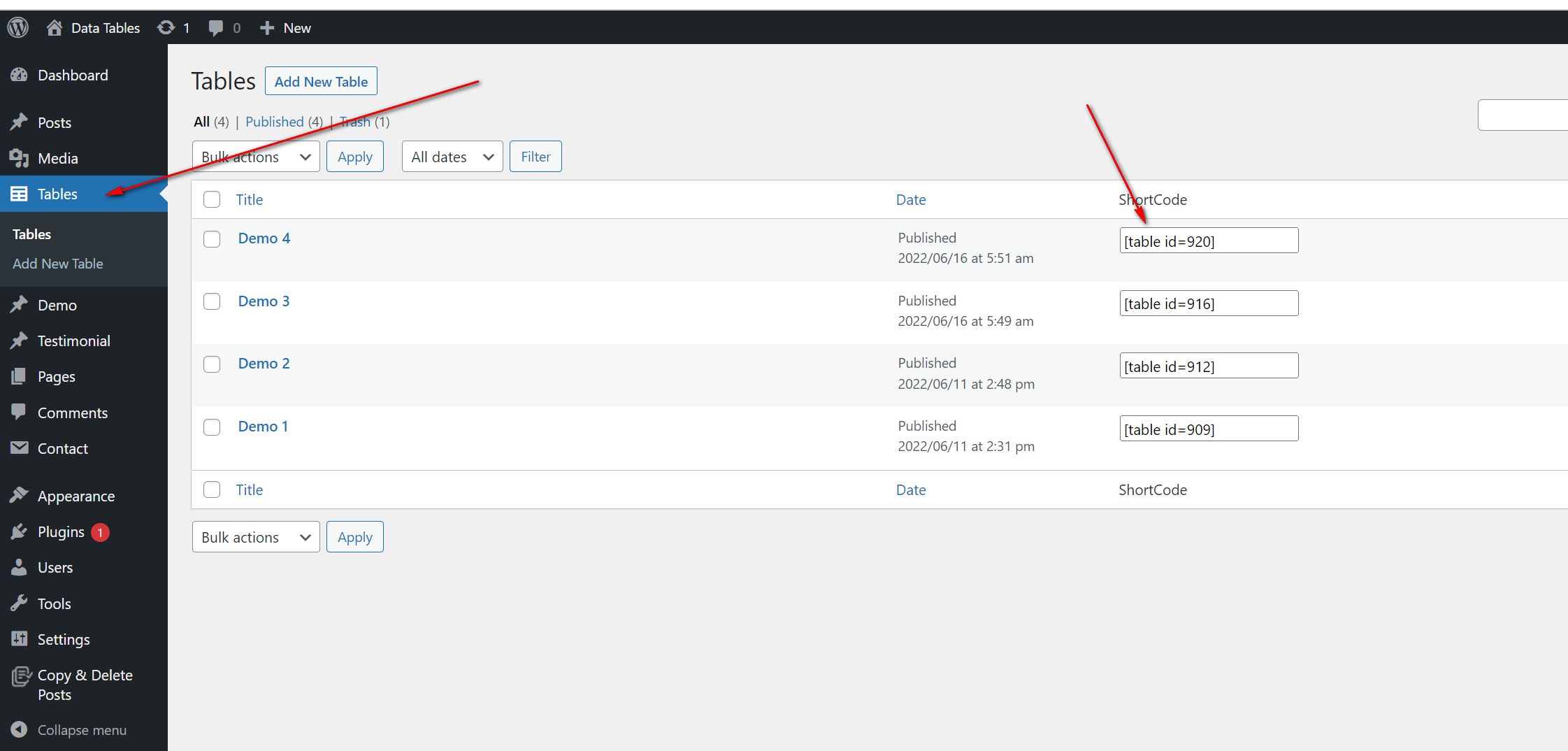
Data Tables gives you a Gutenberg block to build data tables visually, plus shortcode support so you can embed the same table in multiple areas. Create a table once and reuse it across posts, pages, and widgets.
Sorting, paging, and filtering are built in, so even large datasets stay easy to browse – all with minimal effort on your side.
Free Features
- Visual Table Builder: Create and edit tables directly in the Gutenberg editor.
- Shortcode Support: Embed any table in posts, pages, or widgets.
- Reusable Tables: Build a table once and use it anywhere on your site.
- Sorting: Let visitors sort table columns instantly.
- Paging: Split long tables into easy-to-browse pages.
- Filtering: Help visitors find the exact rows they need.
- Serial & Attachment Columns: Add a serial number column and enable an attachment column.
- Unlimited Tables: Publish as many tables as you want.
How to Use – Quick Start
- Install and activate the Data Tables plugin.
- Open a post or page in the Gutenberg editor.
- Click the + icon and add the Data Tables block.
- Build your table visually and configure sorting, paging, and filtering.
- Publish – or copy the shortcode to reuse the table in other posts, pages, or widgets.
Use Cases
- Pricing & Comparison Tables: Present products or plans side by side.
- Reports & Statistics: Publish sortable data readers can explore.
- Directories & Lists: Share member lists, schedules, or catalogs with filtering.
- Downloads: Use the attachment column to list files alongside data.
Képernyőmentések


Blokkok
This plugin provides 1 block.
- Data Table
Telepítés
From your WordPress dashboard (recommended):
- Go to Plugins Add New.
- Search for „Data Tables”.
- Click Install Now, then Activate.
- Add the Data Tables block to any post or page, or use the shortcode.
Manual installation:
- Upload the plugin folder to the
/wp-content/plugins/directory. - Activate the plugin through the Plugins menu in WordPress.
- Use the shortcode in any page, post, or widget.
- To embed in theme PHP, place
<?php echo do_shortcode('YOUR_SHORTCODE'); ?>in your template.
GYIK
-
How do I install this plugin?
-
Install it like any regular WordPress plugin – from Plugins Add New in your dashboard, or by uploading it manually. See the Installation tab for step-by-step instructions.
-
How many tables can I publish on my site?
-
You can create and publish unlimited tables.
-
Does it work with the Gutenberg block editor?
-
Yes. Data Tables provides a Gutenberg block so you can build and edit tables visually inside the editor.
-
Can I reuse the same table in different places?
-
Yes. Create a table once and embed it in posts, pages, or widgets using the shortcode.
-
Does it support sorting, paging, and filtering?
-
Yes. Sorting, paging, and filtering are built in, so visitors can easily browse even large tables.
Vélemények


Közreműködők és fejlesztők
“Data Tables – present your data in clean, customizable tables” egy nyílt forráskódú szoftver. A bővítményhez a következő személyek járultak hozzá:
Közreműködők

“Data Tables – present your data in clean, customizable tables” 2 nyelvre lett lefordítva. Köszönet a fordítóknak az áldozatos munkájukért!
“Data Tables – present your data in clean, customizable tables” fordítása a saját nyelvünkre.
Érdekeltek vagyunk a fejlesztésben?
Browse the code, check out the SVN repository, or subscribe to the development log by RSS.
Változási napló
1.1.2 – 26 July, 2025
- Fixed: Can’t edit table content
1.1.1 – 25 Dec, 2024
- Fixed: undefined index error
1.1
- Added Option to add Serial
- Added option to enabled Attachment Column
1.0
- Initial Release