

Leírás
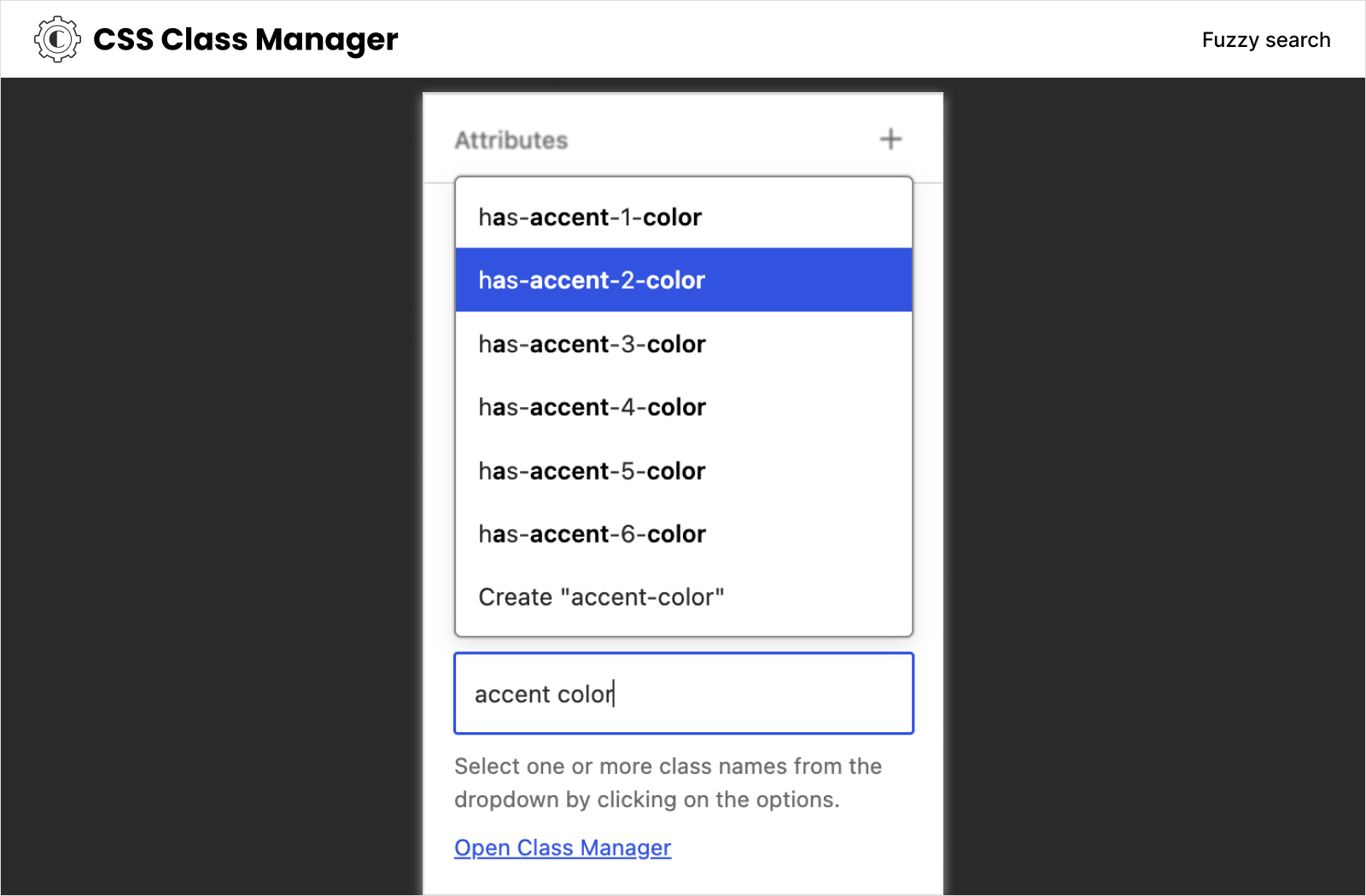
Struggling with adding multiple CSS classes to your WordPress blocks? CSS Class Manager simplifies the process with autocomplete suggestions and a dedicated manager for adding, editing, and organizing your classes. Boost your block styling efficiency!
There are two main motivations behind creating this plugin:
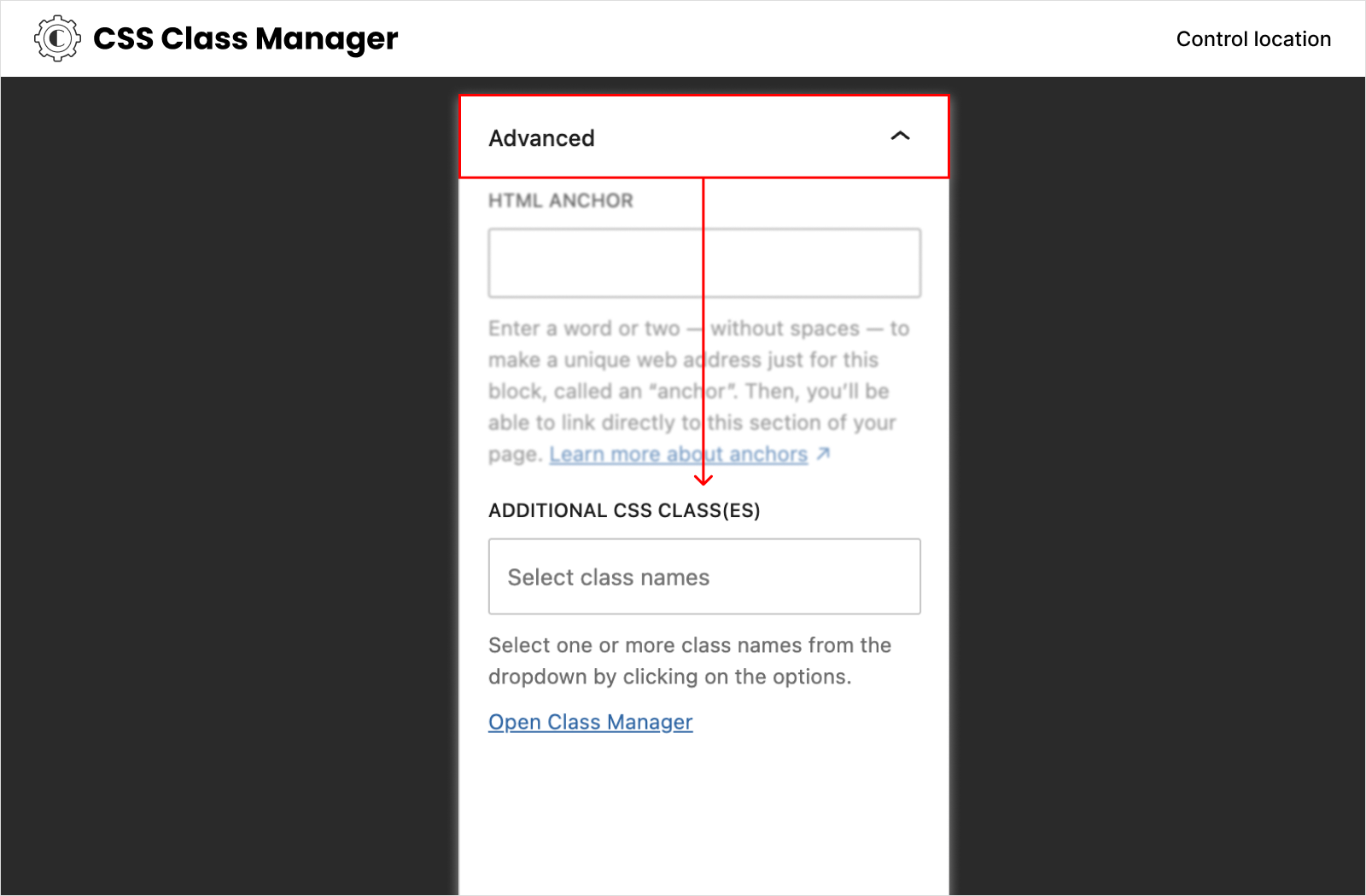
Limitation of Block Style – When applying a block style, only one CSS class can be added to a block. Unfortunately, the block editor lacks the ability to select multiple block styles. To address this, users must resort to the Additional CSS Class(es) inspector control to apply multiple classes. CSS Class Manager provides a powerful manager and an autocomplete inspector control, enabling users to easily add and apply CSS classes to their blocks.
Poor UX of the Additional CSS Class(es) control – The default control for adding class names is a simple text input. This can be cumbersome, especially when applying CSS classes frequently. With the custom inspector control provided by CSS Class Manager, users can effortlessly add their class names, enhancing the user experience.
Features
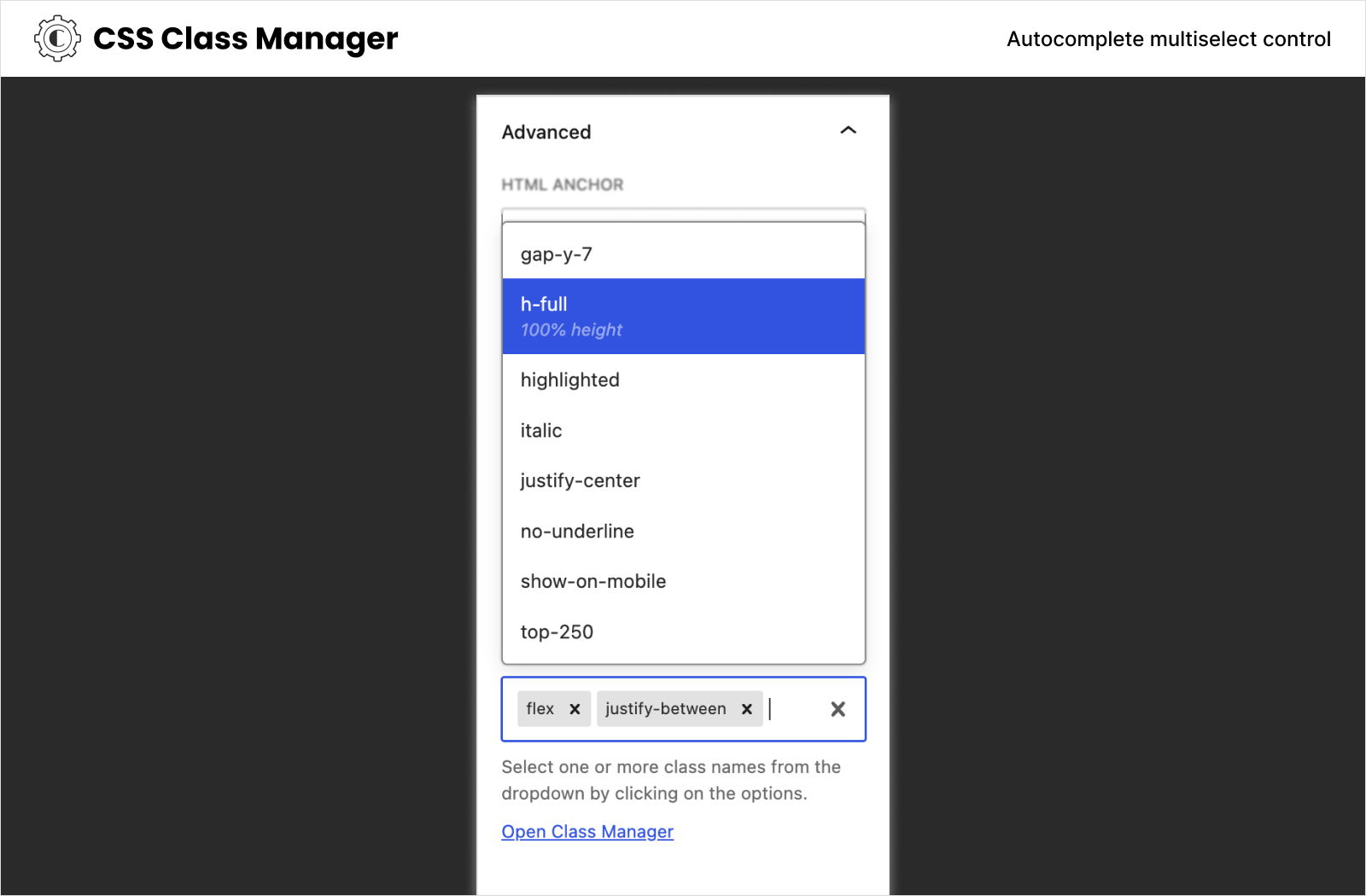
- Advanced Autocomplete Control: Streamline block styling with autocomplete functionality for CSS classes.
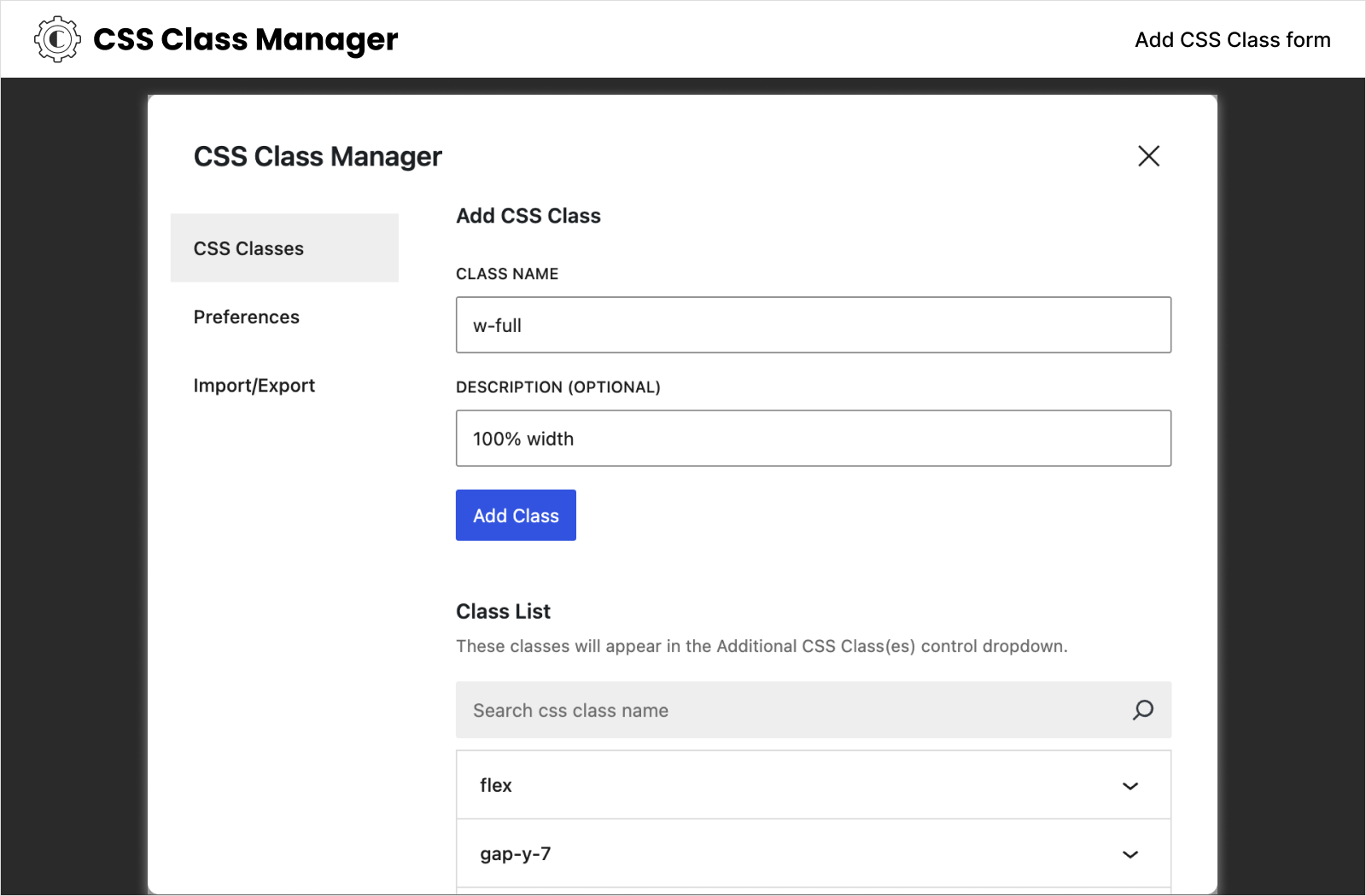
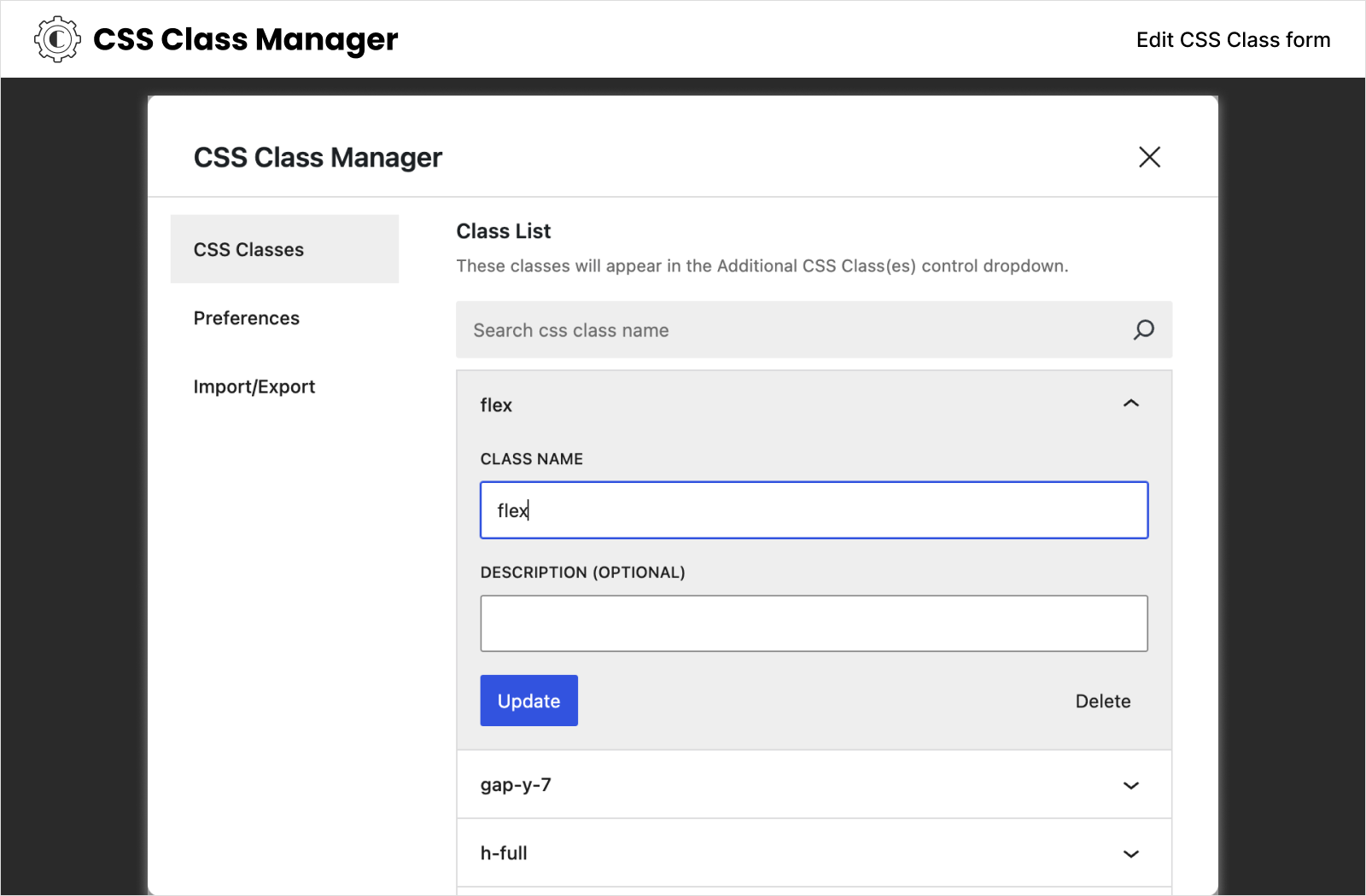
- Effortless Class Management: Easily add, edit, or remove CSS classes directly within the manager interface.
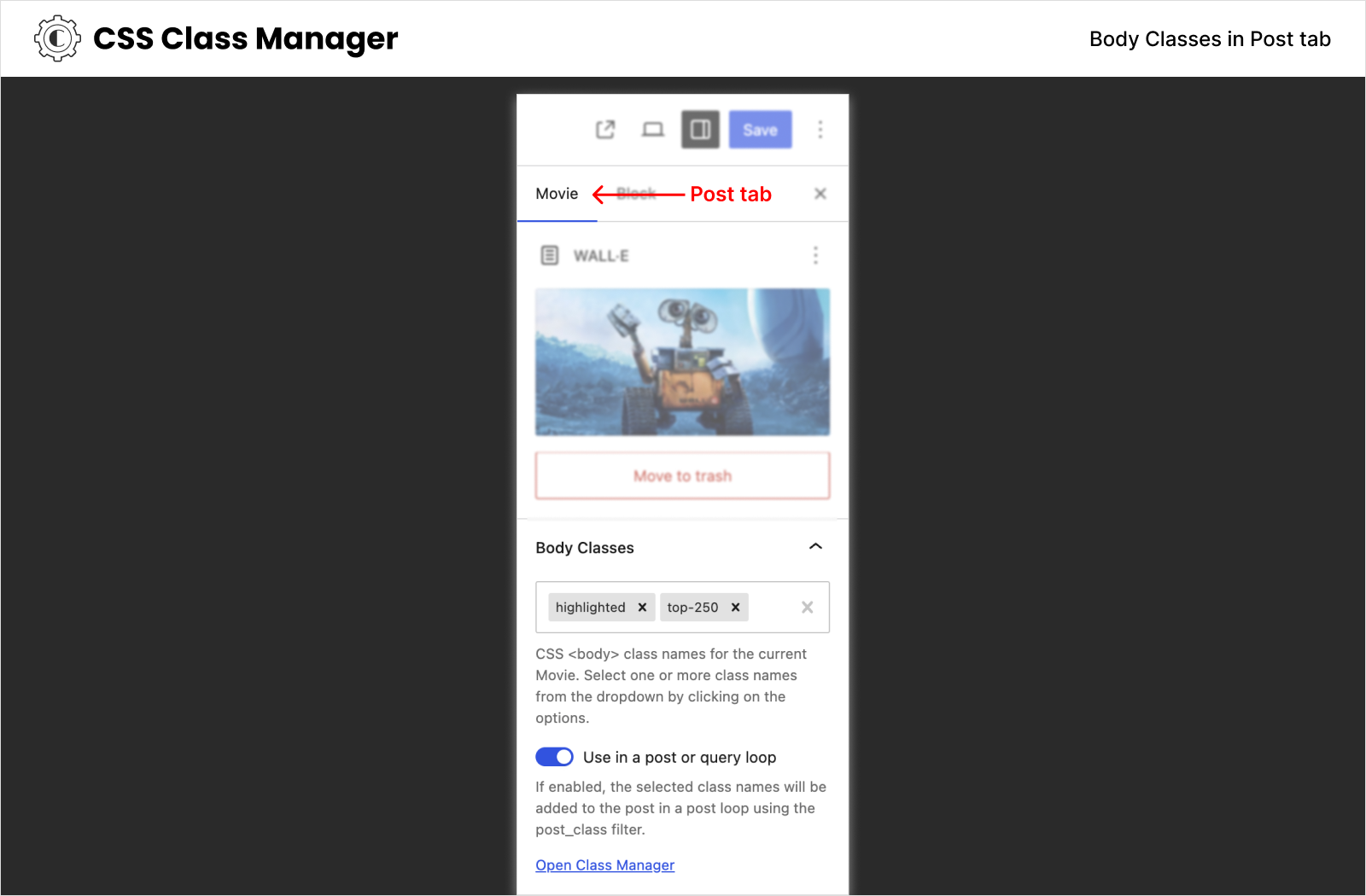
- Body and Post Classes: Add custom class names to post body and post containers using body_class and post_class filters directly from the post editor.
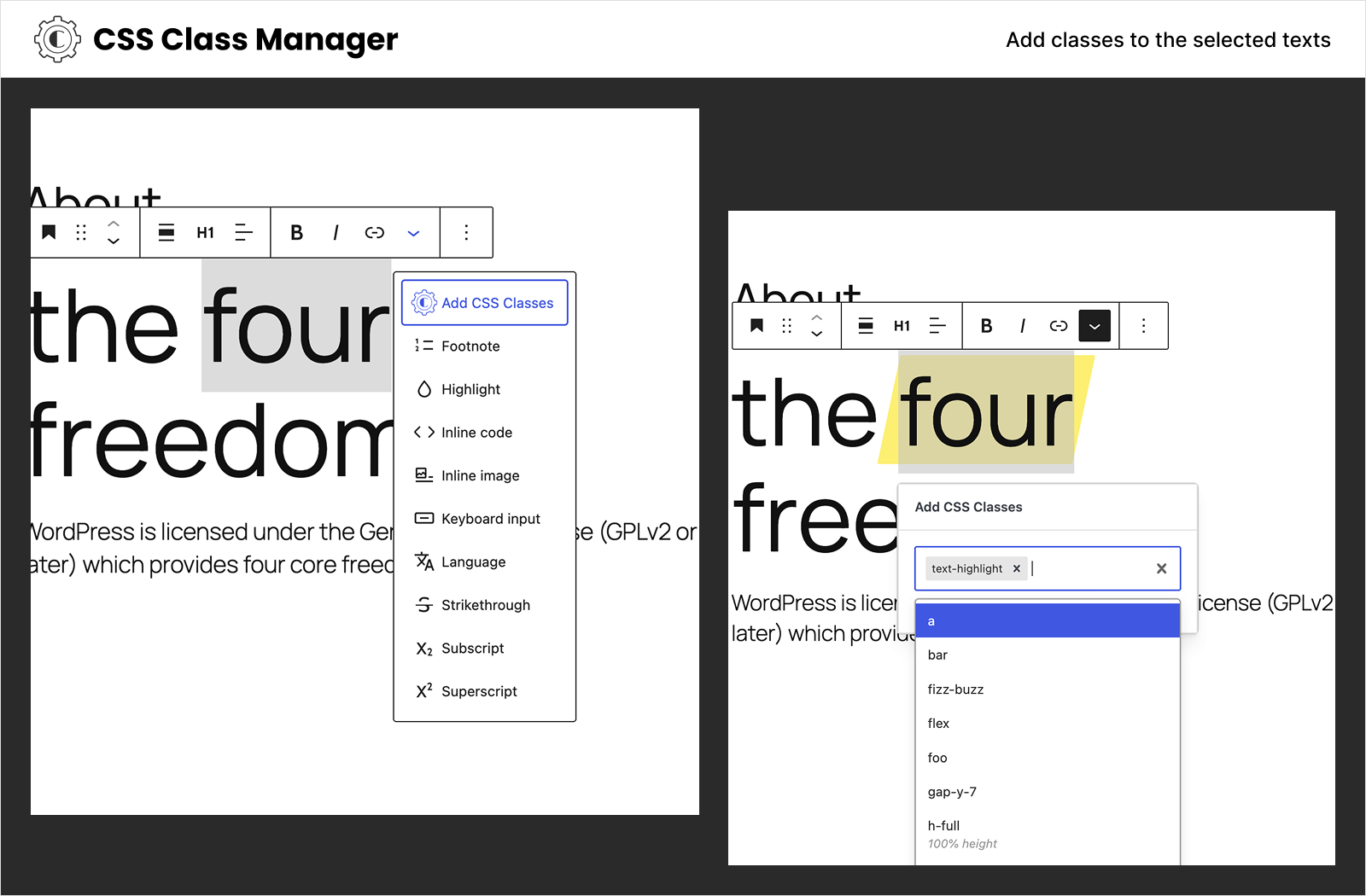
- Inline CSS Classes: Add custom class names to any selected text inside paragraph, heading and other blocks that support Rich Text.
- Theme.json Integration: Automatically include global class names generated from theme.json settings in your class suggestions.
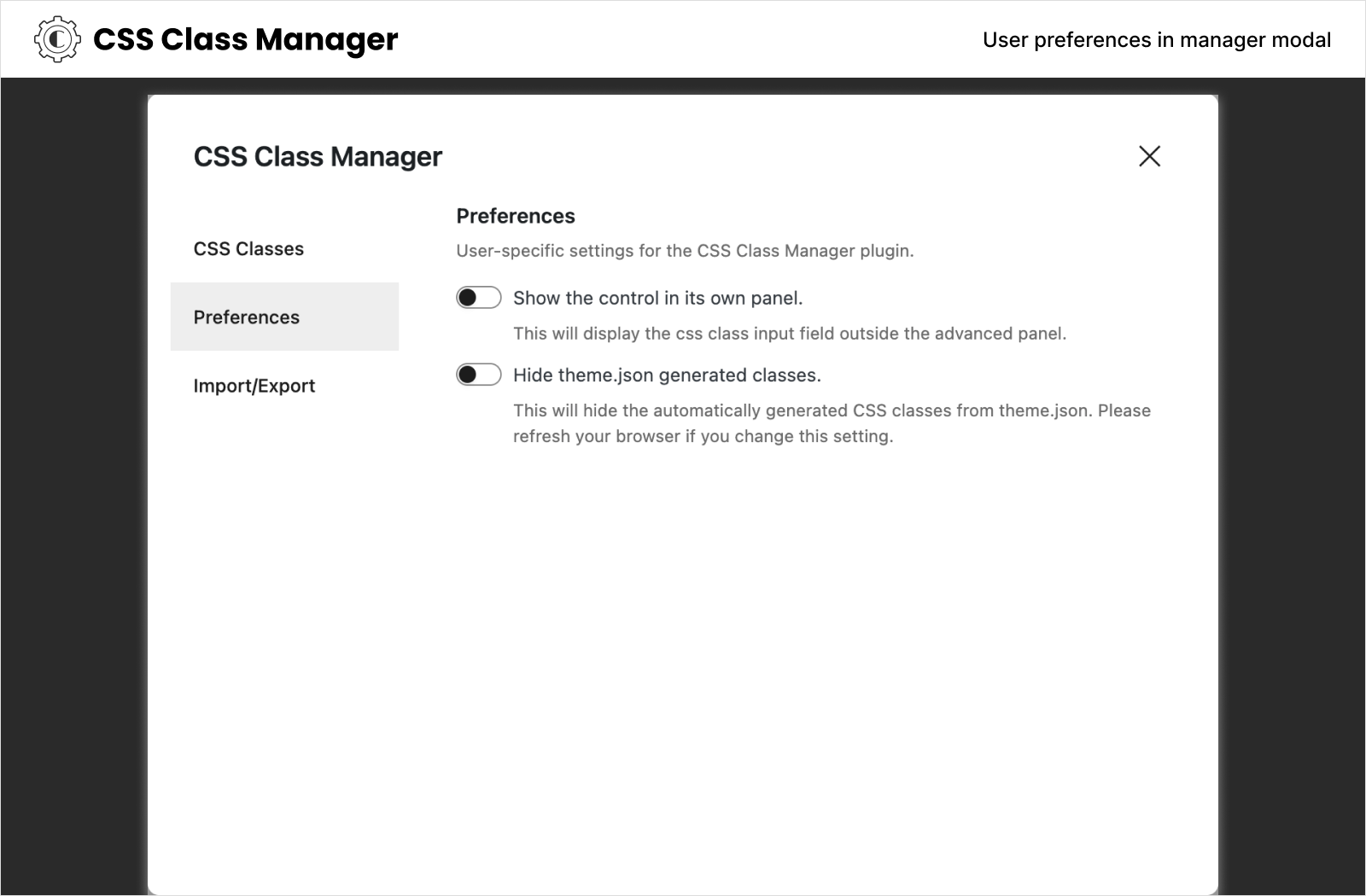
- Show the control in its own panel: User specific settings to show the Additional CSS Class(es) control in its own panel.
- Add classes without saving to the database: User specific settings to toggle saving classes to the database.
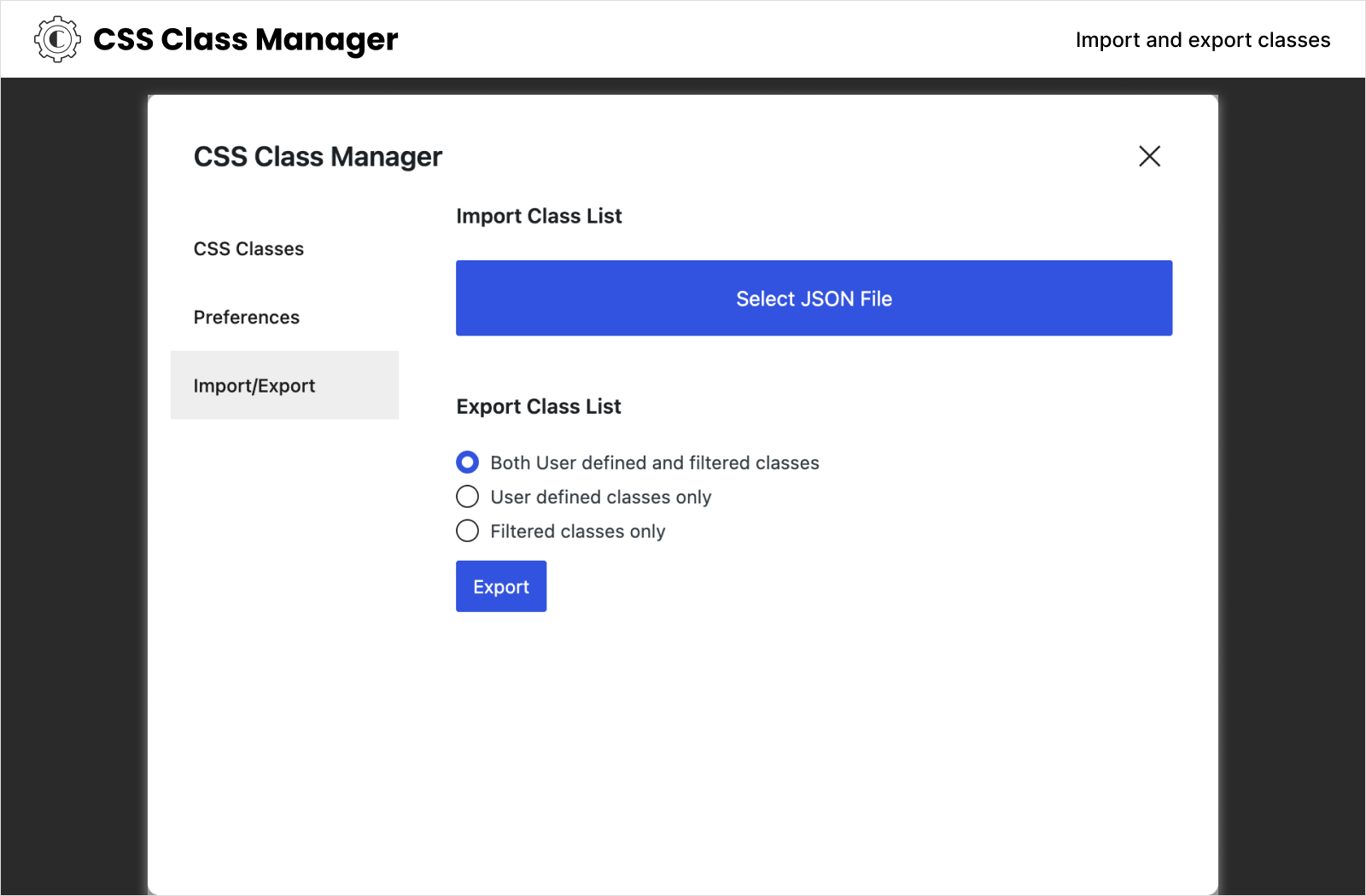
- Import and Export: Seamlessly transfer custom CSS class names to ensure consistency across projects.
Getting Started
- Activate the plugin within your WordPress setup.
- The advanced control will replace the default „Additional CSS Class(es)” and can be found in the „Advance” block settings section.
- Adding and selecting classes in the autocomplete field is similar to the tags and categories fields.
- To add body or post classes, look for the „Body Classes” and „Post Classes” controls in the Post tab of the post editor (requires custom-fields support). See the limitations
- To add inline classes to the selected text, use the block format tool control in the text formatting tools options (available in blocks that support Rich Text).
- To edit and manage class names, click the „Open Class Manager” link or select „CSS Class Manager” from the More Menu.
- Import/Export can be done from the manager modal.
- Theme.json generated classes are automatically included and can be disabled from the Preferences in the manager modal.
- Use
css_class_manager_filtered_class_namesfilter to add class names with PHP files.
Képernyőmentések
GYIK
Where can I find the JavaScript and CSS non-compiled source files?
Please checkout the GitHub repository of this plugin to see the sources.
How to open the manager modal?
Under the Additional CSS Class(es) control, you will see a link says Open Class Manager. Click on that to open the CSS Class Manager preferences modal.
How do the Body Classes and Post Classes work?
The Body Classes control adds class names to the post’s body element using WordPress’s body_class filter, while Post Classes adds them to post containers using the post_class filter. These controls are available in the Post tab of the post editor and require the post type to support custom-fields.
Can I disable theme.json generated classes?
Yes, you can disable theme.json generated class names from appearing in the dropdown by adjusting the preferences in the CSS Class Manager modal.
How to use the PHP filter?
Use the
css_class_manager_filtered_class_namesfilter to add your class names from your plugin or theme. Check out the example code in this GitHub wiki page for more details.How can I add class names without saving them to the database?
You can enable the option ‘Press Space to add class names without creating them.’ to add class names without saving them to the database from the Preferences settings in the CSS Class Manager modal. This setting is user-specific and allows you to manage class names temporarily during your editing session. For more details, please refer to the GitHub wiki page.
How to use the priority property for class presets?
You can set a priority for your class presets to control the order in which they are applied. Higher priority classes will be applied before lower priority ones. For more details, please refer to the GitHub wiki page.
Vélemények


Közreműködők és fejlesztők
“CSS Class Manager – An advanced autocomplete additional css class control for your blocks” egy nyílt forráskódú szoftver. A bővítményhez a következő személyek járultak hozzá:
Közreműködők
Érdekeltek vagyunk a fejlesztésben?
Browse the code, check out the SVN repository, or subscribe to the development log by RSS.
Változási napló
1.6.1 – March 26, 2026
- Add priority option for class names. See documentation for more details.
1.6.0 – January 12, 2026
- Add classes without saving to the database feature.
- Add an user preference to toggle saving classes to the database.
1.5.0 – October 04, 2025
- Add Inline Element Classes feature to add custom class names to selected text inside paragraph, heading and other blocks that support Rich Text.
- Improve CSS class name parser.
- Exclude theme classes in exported class list json file.
- Add a filter to manage theme classes css.
- Fix unable to remove body classes issue.
1.4.2 – September 03, 2025
- Fix broken theme class generator when css contains line breaks.
1.4.1 – September 03, 2025
- Fix body classes not adding in pages.
1.4.0 – September 03, 2025
- Add Body Classes and Post Classes controls to the post editor for managing body_class and post_class filters.
- Integrate theme.json generated class names into the class suggestions dropdown.
- Add preference option to disable theme.json classes from appearing in suggestions.
1.3.0 – May 24, 2025
- Implement fuzzy search with fuse.js.
- Fix overlapping typography sizes onto class list dropdown.
1.2.1 – January 26, 2025
- Improved the determination of control groups for own panel settings.
1.2.0 – January 17, 2025
- Add user preference to display the control in its own panel.
1.1.0 – November 16, 2024
- Allow colon in class names.
- Fix preference modal tab background color.
- Bump the minimum WordPress version requirement to 6.6 from 6.5.
- Import PluginMoreMenuItem from wp-editor package.
- Update scss file and use the @use instead of @import.
- Upgrade the npm packages to the latest.
1.0.0 – May 25, 2024
- Initial release.