Leírás
Thanks to Imran Siddiq (https://www.youtube.com/@websquadron/). This code was adapted from his PDF Viewer code.
Continuous PDF Viewer is a high-performance, WordPress-native PDF viewer powered by PDF.js. Version 2.1 introduces a completely rebuilt rendering engine optimized for 100% continuous scrolling, bringing a modern, native-app reading experience to your WordPress site.
Key Features
- Continuous Scroll Engine: Pages stack seamlessly for smooth, vertical reading. Highly optimized sequential rendering prevents browser lag, even on large documents.
- Smart Page Tracking: An intelligent viewport observer automatically detects which page you are reading and instantly updates the toolbar and sidebar thumbnails as you scroll.
- Advanced Search & Highlight: Pinpoint search functionality that calculates the exact pixel location of your search terms and smoothly scrolls them directly into the center of your screen.
- Native Fullscreen Mode: Utilizes the browser’s native Fullscreen API for distraction-free reading, featuring „scroll memory” to keep your place when entering or exiting fullscreen.
- Gutenberg Block Integration: A native WordPress block with a click-to-select placeholder UI and seamless Media Library integration.
- Live Shortcode Generator: A dedicated admin tools page (Tools > Continuous PDF Viewer) that lets you visually configure colors, dimensions, and toolbar features while generating a live shortcode.
Képernyőmentések

The Continuous PDF Viewer renderibng a document on the frontend 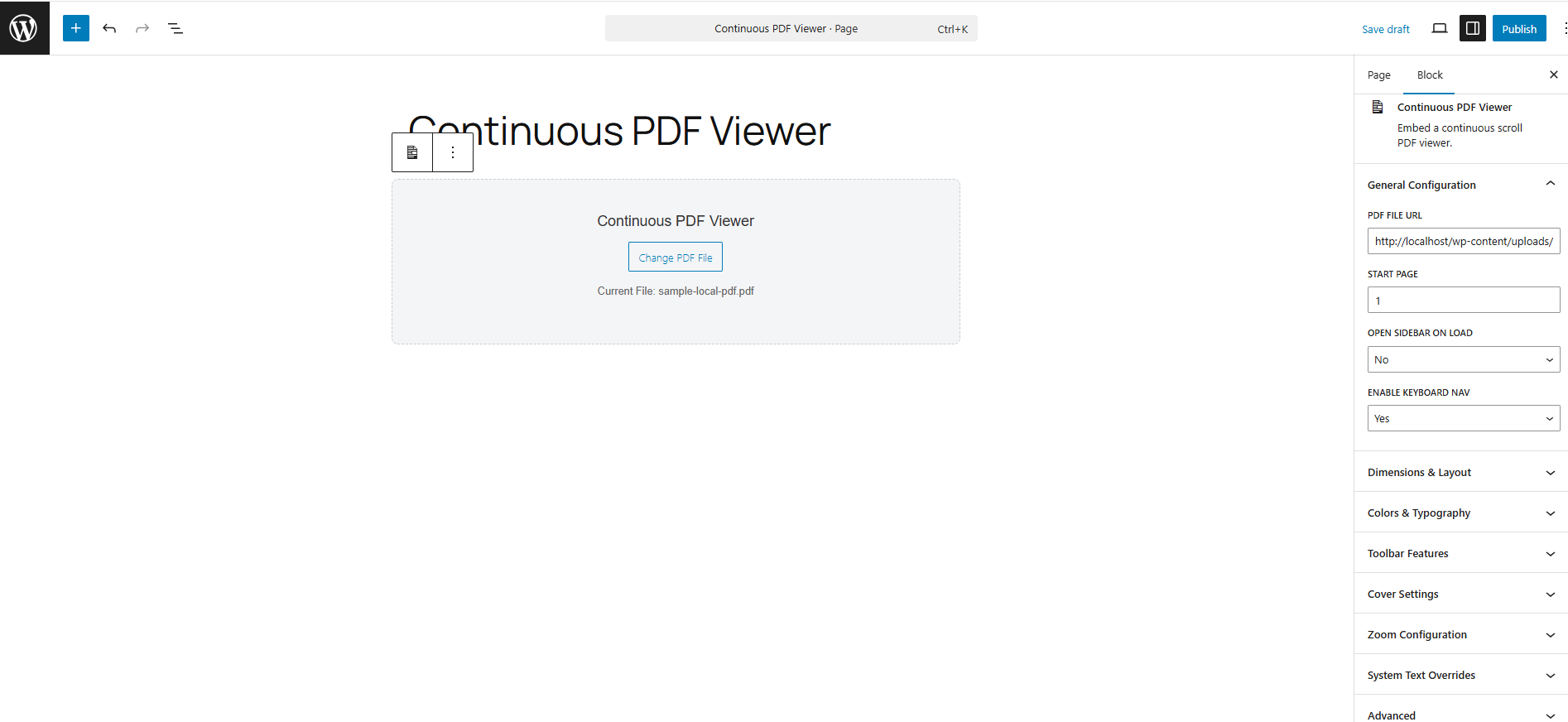
The Gutenberg block for the Continuous PDF Viewer
Blokkok
This plugin provides 1 block.
- Continuous PDF Viewer Embed a continuous scroll PDF viewer.
Telepítés
Using the Gutenberg Block
- Open the WordPress Block Editor.
- Search for the „Continuous PDF Viewer” block.
- Click „Select PDF File” on the canvas to choose a document from your Media Library.
- Use the right-hand Inspector Controls to customize the start page, default zoom, sidebar visibility, and colors.
Using the Shortcode
You can place the viewer anywhere using the [continuous_pdf_viewer] shortcode.
Basic Example:
[continuous_pdf_viewer url=”https://yoursite.com/wp-content/uploads/document.pdf”]
Advanced Example:
[continuous_pdf_viewer url=”/wp-content/uploads/document.pdf” title=”Annual Report” start_page=”3″ theme=”dark” accent=”#4f7df3″]
Note: Generating complex shortcodes is highly recommended via the built-in Shortcode Generator under the Tools menu.
Vélemények
Nincsenek értékelések erről a bővítményről.
Közreműködők és fejlesztők
“Continuous PDF Viewer” egy nyílt forráskódú szoftver. A bővítményhez a következő személyek járultak hozzá:
Közreműködők
“Continuous PDF Viewer” fordítása a saját nyelvünkre.
Érdekeltek vagyunk a fejlesztésben?
Browse the code, check out the SVN repository, or subscribe to the development log by RSS.
Változási napló
2.1.7
- Put the „Pro Tip” on a separate line to make the toolbar more responsive
2.1.6
- Fix the scale number in the toolbar so it matches the actual zoom level
2.1.5
- Removed the standard_fonts folder
2.1.4
- Change prefix used in the code from cpv to cpdfv
- removed unused files
- moved inline CSS/JS to use of wp_add_inline_*
- changed shortcode name to continuous_pdf_viewer
2.1.3
- switch to latest version of PDF.js (v5.6.205)
- removed an extra file that didn’t belong
- removed some !important from the CSS and add a tooltip to the PDF viewer panel
- fixed some issues with going full screen
- hide the thumbnail button on mobile
- hide the sidebar when going fullscreen
- make the tool tip text into a PDF Viewer setting which can be changed by the user
2.1.1
- Changed the default height from 600px to 80vh
- Recalculate the width for each tab when in a page when different pdf viewer blocks are in different tabs.`
- Set the default heights to 80vh for desktop, 70vh for tablet, and 60vh for mobile rather than a specific px value.
- wrapped some output in escape_* functions
2.1.0
- New: Highly-optimized Continuous Scroll engine replaces the legacy single-page view.
- New: Pressing the Enter key inside the search bar now accurately loops through highlighted results.
- New: High-DPI (Retina) screen support added to the canvas rendering loop for crystal-clear text.
- Fix: Replaced legacy CSS flexbox centering to eliminate the „cut-off top” bug on tall pages.
- Tweak: Search navigation buttons now visually disable when reaching the first or last search result.
- Deprecated: The legacy view_mode setting (Single Page vs. Continuous) has been removed.