

Leírás
A tökéletes hirdetéskezelő bővítmény WordPresshez
Az Advanced Ads a legátfogóbb hirdetéskezelő eszköz a piacon. Tökéletes egyensúlyt teremt a könnyű használat és a hatékony funkciók között, és több ezer vállalat és vállalkozás bízik benne.
Megkönnyítettük a hirdetések kezelését, és megkönnyítettük a hirdetések, bannerek vagy bármilyen más kód automatikus beágyazását – mindezt perceken belül, a témafájlok szerkesztése nélkül. Ha a legjobb hirdetéskezelő bővítményt keresed, megtaláltad.
Kézikönyv | Támogatás | Demó | Prémium funkciók
- Használhatóság: Világosan strukturált felület • Intelligens munkafolyamatok a gördülékeny mindennapi működéshez
- Funkcionalitás: Kiemelkedő funkciókkal mércét állít fel a piacon
- Kompatibilitás: Minden hirdetési hálózat • Dedikált integrációk számos népszerű bővítménnyel és témával
- Szakértelem: Gyors és kiválóra értékelt támogatás • 2009 óta jóváhagyott kiadványszerkesztő és hirdetésoptimalizáló
- Hírnév: A Google ajánlásával • Teljes mértékben megfelel a Google AdSense irányelveinek
Szeretnéd tudni, hogy van-e egy bizonyos funkció, mi lenne az optimalizált beállítás, vagy hogyan valósíthatod meg az ügyfeled igényeit? Csak nyiss egy témát a fórumon!
Ezt mondják felhasználóink az Advanced Ads-ről:
Ezt a bővítményt használjuk forgó hirdetések megjelenítéséhez egy közösségi hírportálon, és nagyszerű. Több mint egymillió hirdetésmegjelenítést értünk el kevesebb mint egy évvel ezelőtti indulásunk óta, oldalsáv, felső, kiemelt és tartalomban elhelyezett hirdetések kombinációját használva – mind HTML5 hirdetéseket, mind képeket. Az Advanced Ads megkönnyíti kis csapatunk számára, hogy jó élményt nyújtson felhasználóink és hirdetőink számára.
mytown304 a wp.org oldalon
Az Advanced Ads segítségével alapítónk havi 0-ról 100 millió hirdetésmegjelenítésre növelte a hirdetésmegjelenítések számát. Használja ki kiadói tapasztalatunkat, és tegyen szert weboldala bevételszerzésére még ma!
Prémium funkciók
Ez a bővítmény az Advanced Ads bővítmény egyszerűsített verziója, amely minden olyan funkciót tartalmaz, amire valaha is szükséged lehet a hirdetések optimalizálásához és a bevételek növeléséhez, beleértve a teljesítménykövetést, a fejlett hirdetéscélzást, a split teszteket, a kattintáscsalás elleni védelmet, a lusta betöltést, a háttérben megjelenő hirdetéseket, a lebegő hirdetéseket, a felugró ablakokat és a ragadós hirdetéseket, a teljes AMP-támogatást, a hirdetésblokkoló észlelését, a legkényelmesebb Google Ad Manager-integrációt és rengeteg mást. Kattints ide a legjobb prémium WordPress hirdetéskezelő bővítmény megvásárlásához!
Hirdetéskezelés
- korlátlan számú hirdetési egységet hozhat létre és jeleníthet meg
- hirdetésrotáció
- hirdetések ütemezése, valamint kezdési és lejárati dátum beállítása
- célzott hirdetések tartalom és felhasználói csoportok szerint
- automatikusan, kódolás nélkül beilleszthet hirdetéseket a bejegyzésekbe és oldalakba
Hirdetéstípusok
Válasszon a különböző hirdetéstípusok közül, amelyek lehetővé teszik a következőket:
- hirdetések és bannerek beszúrása minden hirdetési és partnerhálózatból (pl. Google AdSense, Amazon Partnerprogram Amazon Associates, BuySellAds, Google Ad Manager, Ezoic, media.net, Booking.com, Tradedoubler, Awin, GetYourGuide, MonetizeMore, The Moneytizer, Infolinks…)
- dedikált támogatás minden típusú Google AdSense hirdetéshez, beleértve a szöveges és vizuális hirdetéseket, a natív hirdetéseket (cikkben elhelyezett, hírfolyamban elhelyezett, multiplex hirdetések), az automatikus hirdetéseket és az automatikus AMP-hirdetéseket
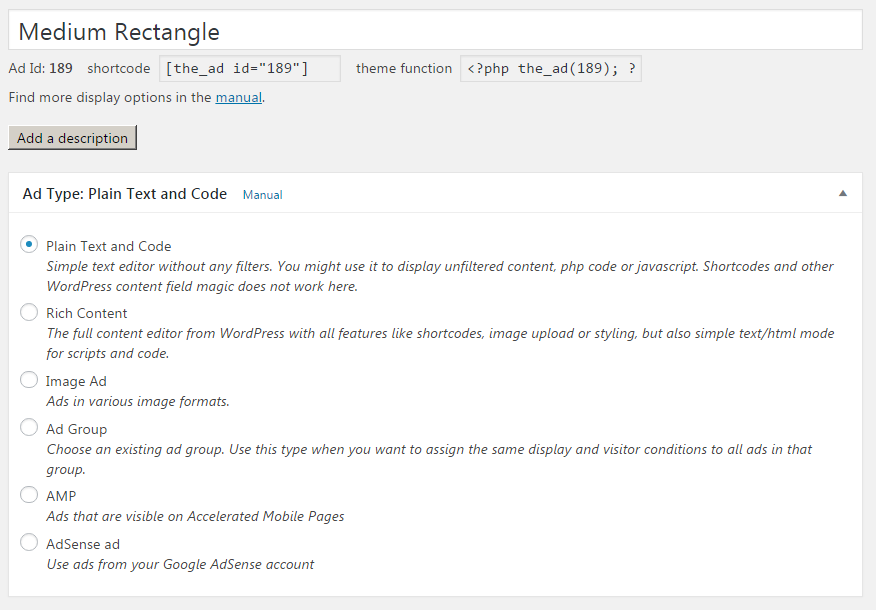
- képek és képes bannerek megjelenítése
- tartalomban gazdag hirdetések létrehozása a WordPress TinyMCE szerkesztőjével
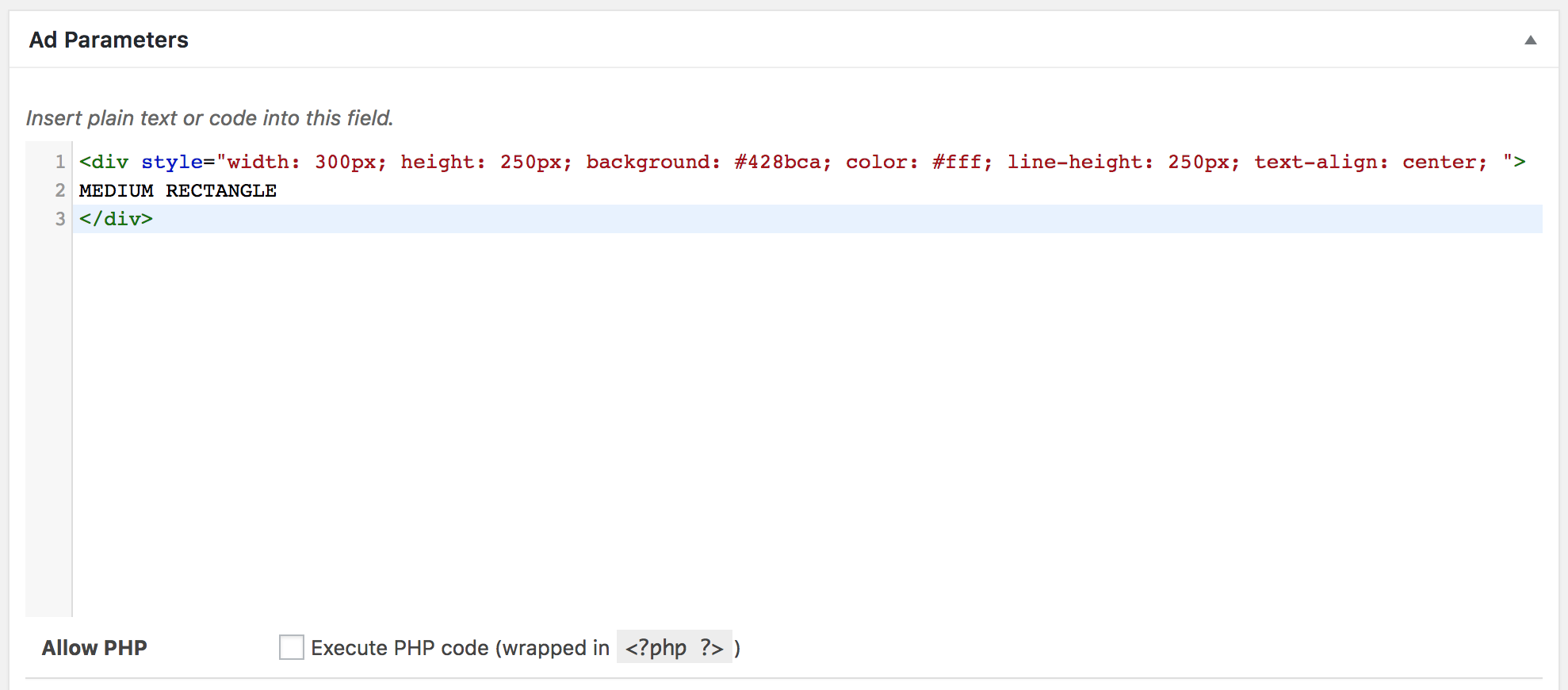
- HTML, CSS, JavaScript vagy PHP kód behelyezése
- rövid kódok használata hirdetéseken belül (hirdetések megjelenítéséhez más hirdetési bővítményekből, például az Ad Inserterből, az AdRotate-ből, a Quick AdSense-ből, az AdSanity-ből, az Ads for WP-ből vagy a WP QUADS Google AdSense bővítményből is)
WordPress hirdetések megjelenítése
- hirdetések automatikus beillesztése elhelyezéseken keresztül
- függvények használata hirdetések megjelenítéséhez sablonfájlokban
- használjon rövid kódokat a hirdetések manuális elhelyezéséhez
- hirdetések megjelenítése az oldalsávon és a widgeteken
- az összes hirdetés letiltása bizonyos oldalakon
- minden bannerhirdetés felett megjeleníthet egy testreszabható hirdetési címkét, pl. „Hirdetések”
- több hirdetés megjelenítése hirdetési rácsokban (Pro)
Feltételek mutatása
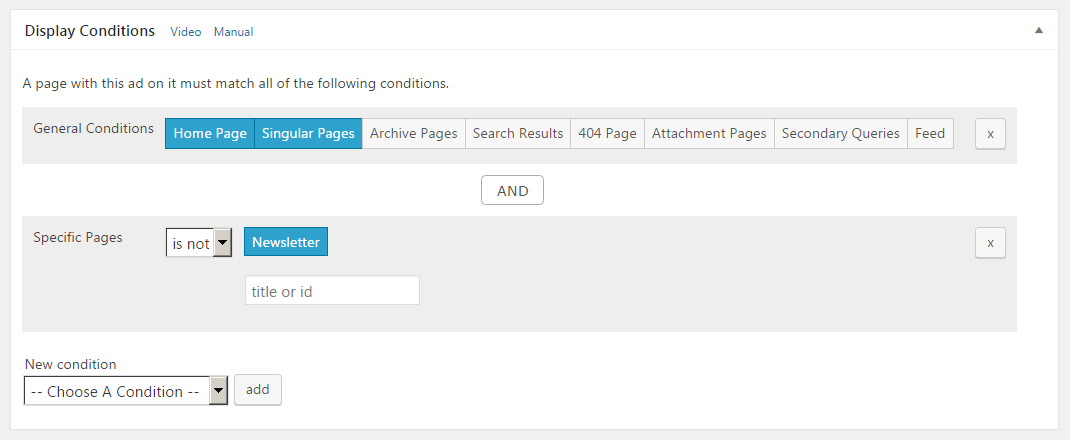
Tartalomalapú hirdetések megjelenítése. Az összes megjelenítési feltétel listája
- egyéni bejegyzések, oldalak és egyéb bejegyzéstípusok
- bejegyzések kategória, címkék, taxonómiák, szerző és életkor szerint
- oldalak archiválása kategória, címkék, taxonómiák szerint
- speciális oldaltípusok, mint például 404, melléklet és címlap
- hirdetések elrejtése másodlagos lekérdezéseknél (pl. bejegyzések az oldalsávokban)
- bannerek megjelenítése vagy elrejtése a bejegyzéshírfolyamban
- az összes hirdetés elrejtése bizonyos oldaltípusokról, pl. 404-es oldalak, hírfolyam
- hirdetések elrejtése a botok és webes robotok elől
- bejegyzések és oldalak a tartalmazott kulcsszavak (kulcsszócélzás) vagy URL-paraméterek szerint, amelyek az Advanced Ads Pro csomagban találhatók
Látogatói feltételek
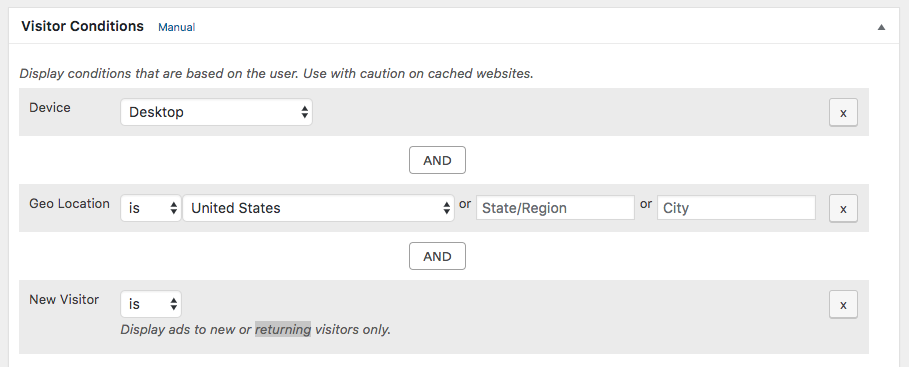
Jelenítsen meg hirdetéseket a látogatóhoz kapcsolódó feltételek alapján. Az összes látogatói feltétel listája
- banner megjelenítése vagy elrejtése eszköz szerint: mobil, táblagép vagy asztali számítógép
- banner megjelenítése vagy elrejtése szerepkör szerint és bejelentkezett látogatók számára
- speciális látogatói feltételek: geolokáció, korábban meglátogatott URL (hivatkozó), felhasználói képességek, böngésző nyelve, hirdetésblokkoló, IP-cím, böngésző és böngésző szélessége, melyeket az Advanced Ads Pro tartalmaz
- hirdetések napszak szerint (Pro)
- gyakoriságkorlátozás (Pro)
Fantasztikus bővítmény és kiemelkedő támogatás
Kipróbáltam legalább három másik WordPress hirdetési bővítményt, és az „Advanced Ads” messze a legjobb. Végül, de nem utolsósorban a támogatás terén. Az első pont, amit meg kell említeni, számos kiváló oktatóanyag. És végül a gyakorlati támogatás. Nem tudom pontosan, hogyan csinálja, de a válaszok sebessége és mélysége abszolút lenyűgöző.djsawyer a wp.org oldalon
Hirdetésbeillesztés | Elhelyezések
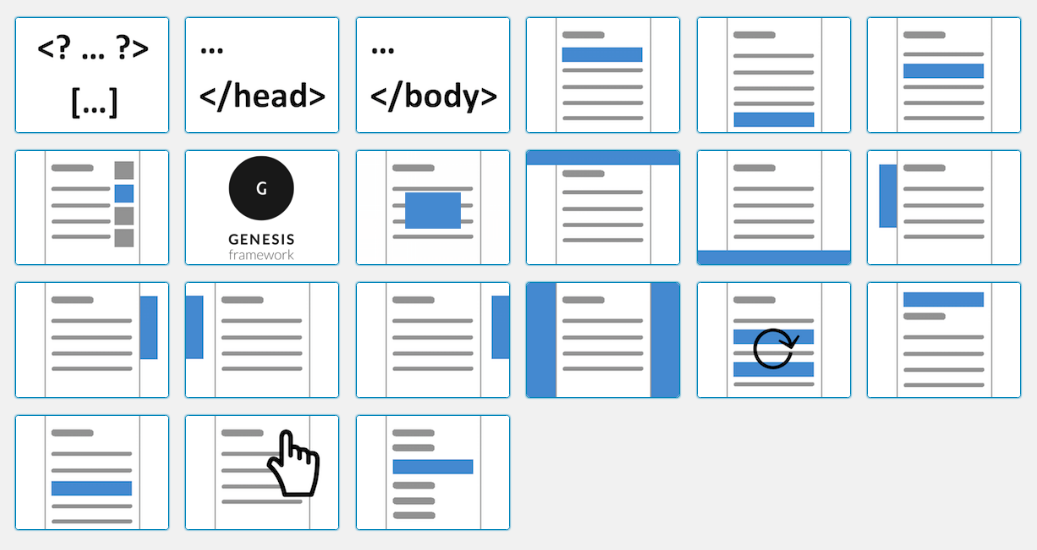
Elhelyezések, amelyekkel előre meghatározott pozíciókba helyezheti el a hirdetéseket a témában és a tartalomban. Az összes elhelyezés listája
- hirdetések bármely adott bekezdés, címsor, kép vagy más HTML-elem után
- hirdetések a bejegyzés tartalmának tetején vagy alján
- hirdetések a záró
</head>címke előtt - hirdetések a láblécben
- Oldalról lehúzható bannerek
- osztott tesztek és A/B tesztelés létrehozása
- bármilyen lábléc- és fejléckód automatikus beillesztése, nem csak hirdetések
- használja a hirdetésszerver elhelyezést hirdetések más webhelyeken történő megjelenítéséhez
- sokkal több hirdetési pozíció kiegészítőkkel
Mobil eszközök
- hirdetések célzása mobileszközökre, táblagépekre vagy asztali számítógépekre
- reszponzív képes hirdetések megjelenítése
- csak bizonyos böngészőméretekhez tartozó hirdetések Pro
- hirdetések beszúrása AMP oldalakra AMP hirdetések bővítmény
Google AdSense
A legerősebb és legegyszerűbb Google AdSense bővítmény lenyűgöző funkciói.
- korlátlan Google AdSense hirdetési bannerek
- hirdetési egységek közvetlen lehívása Google AdSense-fiókodból
- AdSense bevétel megjelenítése a WP Adminban
- módosítsa Google AdSense hirdetéseinek beállításait közvetlenül a WordPress backend rendszeréből
- támogatja az összes Google AdSense hirdetéstípust, beleértve a Google AdSense vizuális hirdetéseket, a natív hirdetéseket, például az In-Feed hirdetéseket, a cikkben elhelyezett hirdetéseket, a multiplex hirdetéseket, a Google AdSense automatikus hirdetéseket és az AMP-hez készült Google AdSense automatikus hirdetéseket
- módosíthatja az AdSense hirdetések típusát és méretét anélkül, hogy bejelentkezne Google AdSense-fiókjába
- alapértelmezés szerint elrejti a Google AdSense hirdetéseket a 404-es oldalakon (a Google AdSense feltételeinek való megfelelés érdekében)
- illessze be a Google AdSense kódot az ellenőrzéshez és az AdSense automatikus hirdetésekhez
- az AdSense Auto funkció engedélyezése az AMP-n
- egyszerű Hirdetésegészségügyi integráció és Google AdSense szabálysértési ellenőrzések
- lehetőség a Google AdSense háttérszínének eltávolítására
- Az ads.txt fájl automatikusan generálódik a helyes AdSense információkkal.
- működik a Google Site Kittel együtt, vagy helyettesítheti azt, ha szabályozni szeretné a hirdetéselhelyezéseket
- Google AdSense In-Feed hirdetések elhelyezése (ingyenes In-Feed kiegészítő)
- tartalék hirdetések kitöltetlen AdSense hirdetési blokkokhoz (Pro
- asszisztens a reszponzív Google AdSense hirdetések pontos méretéhez (AMP Ads bővítmény)
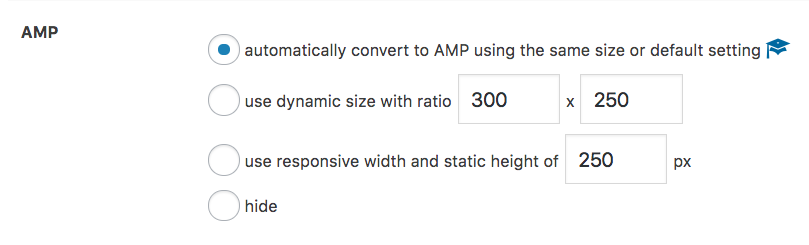
- a Google AdSense hirdetések automatikus AMP hirdetésekké konvertálása (AMP hirdetések bővítmény)
A j4ckson185-höz hasonlóan több ezer elégedett AdSense-felhasználó van:
Király az alkalmazásod, gratulálok! A Google Adsense azt javasolja, hogy használd az alkalmazásodat a hivatalos weboldalán, ez hihetetlen!
Partnermarketing
Könnyen integrálható partner marketing egy átfogó eszközkészlettel.
- korlátlan számú partner hirdetés és banner
- szöveges link támogatás
- kapcsolt vállalkozásokra vonatkozó közzététel
- automatikus affiliate hirdetés beszúrás
- speciális célzás
- dedikált AAWP hirdetéstípus (Amazon Affiliate WordPress bővítmény)
- integrálható más partner bővítményekkel, mint például a Pretty Links, a Thirsty Affiliates, a Lasso és még sok más
- az Amazon hiredtési formátumok támogatása
- minden partnerhálózattal kompatibilis
- linkmaszkolás és linkálcázás (Pro)
- partner hirdetéskövetés (Követő kiegészítő)
Ads.txt
- egyéni tartalommal rendelkező ads.txt fájlt generál
- automatikusan hozzáadja az AdSense tartalmát az ads.txt fájlhoz
Kiegészítők
- minden kiegészítő tartalmazza az elsőbbségi e-mail támogatást
- Korlátlan Hozzáférés – tartalmazza az összes elérhető bővítményt
- Advanced Ads Pro – hatékony eszközök a hirdetések optimalizálásához: gyorsítótár-ürítés, több elhelyezés, lusta betöltés, hirdetésblokkoló modul, hirdetésfrissítés, kattintáscsalás elleni védelem, földrajzi célzás, parallax hirdetések és még sok más
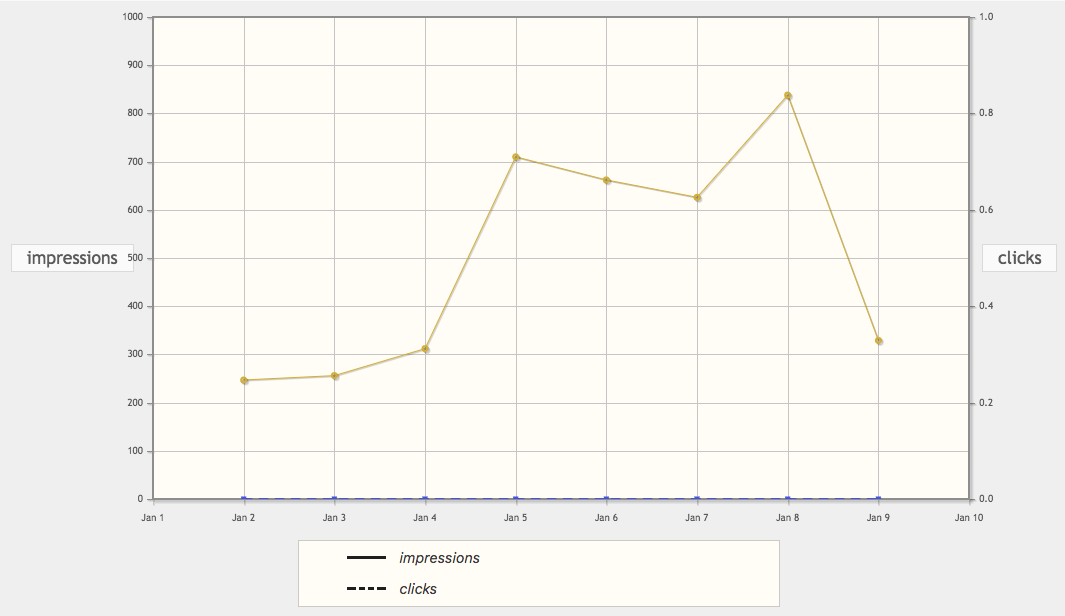
- Követés – hirdetésmegjelenítések és hirdetéskattintások nyomon követése helyi módszerekkel vagy a Google Analytics segítségével
- AMP hirdetések – tegye hirdetéseit AMP-kompatibilissé, és konvertálja automatikusan a Google AdSense hirdetéseket
- Google Ad Manager integráció – gyors és hibamentes módja a hirdetési egységek Google Ad Manager-fiókból történő betöltésének anélkül, hogy bármilyen hirdetési kódhoz hozzá kellene nyúlni.
- Rögzített hirdetések – növelje a kattintási arányt fix, rögzített és horgonyhirdetésekkel
- Rögzített widget a WordPresshez – az oldalsáv kütyüit hatékonyan rögzített, öntapadó hirdetésekké alakíthatja
- Felugró és réteges hirdetések – hirdetések és egyéb tartalmak megjelenítése rétegekben, felugró ablakokban és közbeiktatott hirdetésekben
- Hirdetések értékesítése – lehetővé teszi webhelyén megjelenő hirdetések teljesen automatizált értékesítését, beleértve a fizetéseket és a hirdetői profilokat is
- Hirdetéscsúszka – hozzon létre egy egyszerű csúszkát a hirdetéseiből
- Teljes funkciólista
Hirdetés blokkoló
- alapvető funkciók a hirdetések hirdetésblokkolók általi eltávolításának megakadályozására
- megakadályozzák, hogy a hirdetésblokkolók hibát okozzanak a plugin szkripteket futtató webhelyeken
- dedikált látogatói feltétel a hirdetések aktivált hirdetésblokkolóval rendelkező felhasználókhoz történő célzásához
- alternatív tartalmak megjelenítése a hirdetésblokkolót használóknak, és webhelye bevételszerzésének javítása (Pro)
- ad blocker fallback ads (Pro)
- show an overlay to ad blocker users (Pro)
- redirect ad blocker users (Pro)
- learn more in our ad blocker oktató.
Köszönjük, hogy pozitív értékelésével motivált minket.
Lokalizációk: arab, kínai, horvát, cseh, dán, holland, angol, francia, német, görög, héber, magyar, olasz, japán, norvég, lengyel, portugál, román, orosz, szlovák, szlovén, spanyol, török, vietnami
Ha problémái vannak az Advanced Ads-szel, kérjük, nyisson egy új témát a wordpress.org fórumain, vagy vegye fel a kapcsolatot prémium ügyfélszolgálatunkkal, ha rendelkezik aktív licenccel.
Integrációk
Az Advanced Ads együttműködik számos más beépülő modullal.
- BuddyBoss – Hogyan kapcsoljuk be a hirdetéseket a BuddyBoss-ba
- BuddyPress – Hogyan adhatsz hozzá hirdetéseket a BuddyPress oldalakhoz
- bbPress – Hogyan jelenítsünk meg hirdetéseket a bbPress oldalakon?
- Sütikre vonatkozó hozzájárulás, Borlabs sütik, Complianz, GDPR sütikre vonatkozó hozzájárulás és egyéb adatvédelmi és hozzájáruláskezelők – Hogyan jelenítsünk meg hirdetéseket a látogatók hozzájárulása alapján
- Elementor – Hogyan hozhatunk létre és implementálhatunk hirdetéseket az Elementorban
- GamiPress – Hogyan célozhatjuk meg a hirdetéseket a GamiPress webhelyein
- Genesis – Genesis Ads kiegészítő
- IAB TCF 2.0 consent – rejtve tartja a hirdetést amíg a felhasználók nem adják beleegyezésüket. Összekapcsolható az alábbi rendszerek CMP, Quantcast Choices, iubenda, Google Funding Choices, cookiebot, etc. bármelyikével.
- LearnDash – Hogyan integráljunk hirdetéseket a LearnDash-be
- MailPoet – Hogyan integrálhatók a speciális hirdetések a MailPoet hírlevelekbe
- Fizetős tagságok Pro – Hogyan kezelhetem a hirdetéseket a Fizetős tagságok Pro szolgáltatást futtató tagsági oldalakon
- Polylang – Hogyan célozhatunk hirdetéseket több nyelvre a Polylangban
- TranslatePress – Hogyan célozhatunk hirdetéseket több nyelvre a TranslatePressben
- Weglot – Hogyan célozhatunk hirdetéseket több nyelvre a Weglotban
- WPBakery Oldalkészítő – Hirdetések megjelenítése a WPBakery Oldalkészítővel
- WPML – Különböző hirdetések megjelenítése nyelvenként a WPML segítségével
- Youzify – Hogyan integráljunk hirdetéseket a Youzify-ba
Képernyőmentések


Blokkok
This plugin provides 1 block.
- Advads Gblock
Telepítés
Hogyan kell telepíteni a plugint és működésre bírni?
A WordPress irányítópultjának használata
- Navigálj az „Új hozzáadása” lehetőségre a bővítmények irányítópultján.
- „Advanced Ads” keresése
- Kattintson a „Telepítés most” gombra
- Aktiválja az Advanced Ads-et a bővítmények irányítópultján
Feltöltés a WordPress írányítópultjában
- Navigálj az „Új hozzáadása” lehetőségre a bővítmények irányítópultján.
- Navigálj a „Feltöltés” területre
- Válaszd ki a
advanced-ads.zipfájlt a számítógépeden - Kattintson a „Telepítés most” gombra
- Aktiválja az Advanced Ads-t a bővítmények irányítópultján
FTP használata
- Töltse le a(z)
advanced-ads.zipfájlt - Csomagold ki az
advanced-adskönyvtárat a számítógépedre - Töltsd fel az
advanced-adskönyvtárat a/wp-content/plugins/könyvtárba. - Aktiválja az Advanced Ads-t a bővítmények irányítópultján
GYIK
-
Hogyan lehet hirdetéseket elhelyezni WordPress-en?
-
Az Advanced Ads segítségével kódolás nélkül helyezhet el hirdetéseket a WordPress webhelyén.
Kezdésként csak nézd meg
- az általános első hirdetési útmutató
- AdSense automatikus hirdetések használata WordPressben
- az AdSense áttekintő oldal.
- Nem jelennek meg a hirdetések? Nézd meg itt.
-
Mi a helyzet a felhasználóim adatvédelmével és a GDPR-megfelelőséggel?
-
A beépülő modul olyan bekapcsolt adatvédelmi beállításokkal települ, ami segíti a felhasználók hozzájárulásának megszerzését, mielőtt valamilyen hirdetést mutatna számukra. Ez minden a modul által kezelt hirdetésre, így az AdSense hirdetésekre is vonatkozik.
Ha engedélyezed az adatvédelmi opciót, akkor az Advanced Ads mindaddig blokkolni fogja a hozzájárulást igénylő hirdetéseket, míg azt meg nem kapja. Letilthatod ezt az ellenőrzést egyes hirdetésekre. (pl.: képes hirdetések). Nem személyre szabott AdSense hirdetéseket is megjeleníthetsz ha az törvényesen engedélyezett a területeden.
Maga az Advanced Ads nem ment az adatbázisodba sem személyes adatokat (pl. IP-címet), sem sütiket a látogató böngészőjében.
ezen az oldalon tudhat meg többet arról, hogy az Advanced Ads és bővítményei hogyan kezelik a látogatók adatait és védelmét.
-
Mely hirdetési hálózatok támogatottak?
-
Az Advanced Ads kompatibilis az összes hirdetési hálózattal és bannerrel olyan partner programokból, mint az Awin, a Google AdSense, a Chitika, a Clickbank, a CJ Affiliate, az Amazon, a ShareASale, az Impact, a Rakuten, a Booking.com, a GetYourGuide, a media.net, valamint a Google Ad Manager (korábban Google DoubleClick for Publishers, DFP).
Arra is használhatod, hogy további hirdetési hálózati címkéket szúrj be a webhelyed fejlécébe vagy láblécébe kódolás nélkül, hogy integráld a fejléc licitálást.
Az Advanced Ads egy dedikált AdSense hirdetéstípust is kínál, hogy kihasználhasd a hirdetési hálózat sajátos lehetőségeit. -
PHP függvények és rövidkódok
-
Függvényeket és rövidkódokat használhat hirdetések és hirdetéscsoportok megjelenítéséhez.
Az ebben a példában szereplő egész számok az elemek azonosítói.
Használd ezeket a rövidkódokat hirdetés vagy csoport beszúrásához a bejegyzésedbe/oldaladba.
[the_ad id="24"]
[the_ad_group id="5"]
Ezekkel a függvényekkel hirdetést vagy hirdetéscsoportot illeszthet be a sablonfájlba.
<?php the_ad(24); ?>
<?php the_ad_group(5); ?>
A hirdetések és csoportok közvetlen megjelenítése mellett meghatározhat hirdetéselhelyezéseket is, és hozzájuk rendelhet egy hirdetést vagy egy csoportot.
[the_ad_placement id="header-left"] <?php the_ad_placement('header-left'); ?> -
Nincs bevételmegosztás. Az Advanced Ads nem módosítja a hirdetési kódokat úgy, hogy kevesebbet keressen, mintha közvetlenül a sablonba foglalná a hirdetési kódot. Több szerző közötti bevételmegosztás megvalósításához kövesse a következő utasításait: oktatóanyag.
-
Elhelyezhetek hirdetéseket közvetlenül a témafájljaimban?
-
Igen. Hozzáadnék egy „Manuális” elhelyezést a témafájljaidhoz. Ez lehetővé tenné a megjelenített hirdetések vagy csoportok későbbi módosítását a kód újbóli módosítása nélkül.
-
Más hirdetésbővítményekkel is működik?
-
Igen. Az Advanced Ads hirdetések kombinálhatók más hirdetési bővítményekkel. A két funkció kombinálásához egyszerűen használja a rövidkódjaikat a „Rich Media” hirdetéstípusunkban.
Működik az AdRotate, Ad Inserter, Ad Injection, Quick AdSense, Quick AdSense Reloaded (WPQUADS), Simple Ads Manager és más bővítményekkel.
Az Advanced Ads használható a Google Site Kit mellett, vagy helyettesítheti azt, ha nagyobb kontrollra van szüksége a hirdetésbeállítások felett. -
Kompatibilis a plugin a PHP 8-cal?
-
Igen, az Advanced Ads támogatja a jelenlegi PHP verziókat, és sikeresen tesztelték PHP 8-at futtató szervereken.
-
Kompatibilis a bővítmény az oldalkészítőkkel?
-
Igen. Azonnal működik minden olyan weboldalkészítővel, amely engedélyezi a rövidkódokat vagy widgeteket, mint például az Elementor, Divi, SiteOrigin, Beaver Builder, Nimble Page Builder, Pagelayer és mások. Létezik egy ingyenes kiegészítő is, amely támogatja a WPBakery Page Buildert (korábban Visual Composer).
-
Megjelennek a hirdetések a hirdetésblokkolót használók számára?
-
Azok a látogatók, akiknél engedélyezve van valamilyen hirdetésblokkoló (pl. AdBlock Plus), nem fognak ismert külső forrásokból (pl. AdSense) származó hirdetéseket látni.
Ezeket a helyeket továbbra is bevételszerzésre használhatod egyéni tartalommal.
További információ a hirdetésblokkolókkal és az Advanced Ads által kínált funkciókról ezen az oldalon.
-
A bővítmény támogatja az ads.txt fájlokat?
-
A Google AdSense és néhány más hálózat kéri, hogy adj meg egy ads.txt fájlt.
Az Advanced Ads automatikusan létrehozza ezt a fájlt a megfelelő AdSense-adatokkal, ha engedélyezed az ads.txt funkciót a Speciális hirdetések > Beállítások > Általános > ads.txt menüpontban, és megadod az AdSense megjelenítői azonosítódat a Advanced Ads > Beállítások > AdSense menüpontban.
-
Fejlesztő vagyok. Testreszabhatom a bővítményt?
-
Igen. Számos kapcsot használhatsz az Advanced Ads testre szabására.
Vélemények


Közreműködők és fejlesztők
“Advanced Ads – Ad Manager & AdSense” egy nyílt forráskódú szoftver. A bővítményhez a következő személyek járultak hozzá:
Közreműködők

“Advanced Ads – Ad Manager & AdSense” 32 nyelvre lett lefordítva. Köszönet a fordítóknak az áldozatos munkájukért!
“Advanced Ads – Ad Manager & AdSense” fordítása a saját nyelvünkre.
Érdekeltek vagyunk a fejlesztésben?
Browse the code, check out the SVN repository, or subscribe to the development log by RSS.
Változási napló
2.0.25 (July 10, 2026)
- Fix: Item object (ad/group) set parent affecting shared factory instance on placement abstract
- Fix: license screen download failed
2.0.24 (July 6, 2026)
- Fix: UI fixes for Advanced Ads widget buttons on WP Dashboard on WP 7+
- Fix: a compatibility issue with group ad weights
2.0.23 (June 30, 2026)
- Improvement: Change email address to send plugin uninstall feedback
- Fix: When user interrupted custom position frontend picker selection, traces were left on localStorage object, causing JS errors
- Fix: Add early bail before quick edit fillInputs function, legacy CSS on list pages updated
- Fix: Make string type nullable on add_body_class functions, to prevent null values from 3rd party plugins
- Fix: Adblocker notice being shown on admin pages even with Shields disabled on Brave browser
- Fix: Add a button on General settings admin page to remove Adsense record from ads.txt file
- Fix: Gutenberg blocks API Version 2 is deprecated since WP 6.9+, raise API to version 3 from version 6.9+
- Fix: Reduce database load on admin pages by caching ad, group, and placement list data across requests and deriving dropdowns and published-placement lookups from that shared cache
- Fix: Improve ad load performance by skipping legacy meta migration when ad settings are already stored in the current format
- Fix: Fix content ad output to apply responsive image and lazy-loading attributes using the current WordPress content filter API instead of deprecated functions
- Fix: Improve group performance by caching each group’s ad weight map for the duration of the request instead of rebuilding it on every access
- Fix: Fix unsaved changes being cleared when reverting a single property on an ad, group, or placement in the editor
- Fix: Fix visitor display conditions with chained OR and AND rules not evaluating correctly in some cases
- Fix: Fix stale ad wrapper markup when layout options or wrapper ID and class are changed before the ad is saved
- Fix: Improve weighted ad rotation performance in large groups by avoiding repeated weight recalculation during shuffle
- Fix: Reduce database round-trips when loading multiple ads, groups, or placements during the same request
2.0.22 (June 8, 2026)
- Improvement: Add compatibility check for setAccessible function on HideNoticesTest file, as it was deprecated
- Fix: dismissed default notices are now permanently hide
- Fix: Woocommerce plugin was injecting SQL on the WP Query of finding placements by type, suppress filters on query
- Fix: Remove credentials check from fs_connect function when FS method is direct
- Fix: Add safeguard on EDD Updater class if request data is not an object
- Fix:
- Fix: Block injection ancestor search logic used str_starts_with, wont work with PHP less than 8, replaced by framework function
- Fix: Add early bail for Ad Health if the top bar is hidden
- Fix: Adding new ads to a group made the new ad status and name columns appear misaligned
- Fix: Ad groups with four ads were not showing the show more button on groups page, wrong comparison math
- Fix: All In One Video Gallery categories and tags are loaded as pages with shortcode instead of taxonomy, archive display conditions
- Fix: parallax placement with published status checked
- Fix: OceanWP theme product quick view conflict with GAdsense module AMP code injection on AJAX
- Fix: block unterminated PHP in shortcode content overrides
- Fix: Buttons, widget and notices UI style fixes for WP 7 plus
2.0.21 (April 27, 2026)
- Fix: Ad label not applied to shortcode-rendered ads
- Fix: fatal error by correcting Quick_Bulk_Edit class namespace
- Fix: shortcode
ad_argswhich allow remote code execution vulnerability
2.0.20 (April 20, 2026)
- Fix: Content injection performance issues and handle more use cases
2.0.19 (April 9, 2026)
- Improvement: Added AMP for WP Ads importer to improve ad migration accuracy
- Improvement: Implemented upgrade notices from readme for new releases
- Fix: support form submission issue
2.0.18 (March 26, 2026)
- Feature: importer for Ads for WP to migrate ads, groups, placements and settings.
- Improvement: Add Ad Inserter importer
- Improvement: Replace WP-Cron with Action Scheduler for Ad Expiration
- Improvement: Brave browser adblocker fallback ads were not triggered, Brave allows detection script through
- Improvement: Test plugin compatibility with WordPress 6.9.
- Improvement: Optimize ad rendering by replacing DOM parsing with native PHP regex processing
- Improvement: Remove Amazon Integration banner from dashboard and disable PEF Module
- Improvement: Add Ads, Placements, and Groups to Command Palette
- Fix: fallback images show correctly based on user consent and non-personalized option
- Fix: Fix nested rendering of sidebar and header placements by optimizing injection logic
- Fix: Fix multiple WPML bugs, including disabling translations for groups, fix placements not showing translated ads and grous
- Fix: Adds scheduled ads to the Gutenberg widget dropdown selector, if scheduled ad is selected, will only show when published
- Fix: AMP – Responsive add-on license field not showing up on License Settings
- Fix: Duplicated ads not showing on ad group when added via metabox, deleted ads not being cleared from group ad weights
- Fix: Change the trigger logic of new placement modal when no placements, trigger hashchange event (on dialog-advads-modal.js)
- Fix: Reword Advanced Ads notifications warning on Settings page, from errors to notifications
- Fix: Remove Product Experimentation Module, Amazon banner from old support page
- Fix: Resolved fatal error in Groups upgrade caused by namespace issue
2.0.17 (February 3, 2026)
- Improvement: Added admin notice to warn when other ad-related plugins are active and may conflict with Advanced Ads
- Fix: remove license key prompt for Slider add-on
- Fix: clearfix checkbox saving and description alignment in the admin meta box
- Fix: prevent removal of backslashes in ad code
- Fix: screen options from Advanced Ads showing on other plugin’s pages
- Fix: conflict with Fluent-SMTP plugin
2.0.16 (December 30, 2025)
- Improvement: PHP 8+ compatibility for the ad expiration cron event
- Improvement: security by allowing only valid sorting options when loading placements
2.0.15 (December 25, 2025)
- Improvement: prevent any PHP execution in shortcode rendered ads to enhance security
- Improvement: handle IP visitor condition by removing extra spaces and line breaks
- Improvement: enhance security by permission check when updating placement item
- Fix: show hierarchical groups metabox in edit ad page
2.0.14 (November 18, 2025)
- Funkció: oldalak tördelése csoportokhoz és rotációkhoz
- Javítás: Csoportok oldal képernyőbeállításainak térköze
2.0.13 (October 20, 2025)
- Javítás: Fokozott védelem a potenciálisan jogosulatlan hozzáféréssel szemben bizonyos frontend kérések esetén
2.0.12 (September 23, 2025)
- Fejlesztés: ACF engedélyezése esetén megakadályozható az idézőjelek használata a hirdetési kódokban.
- Javítás: a csoportok mostantól helyesen illesztik be a hirdetéseket a fejlécekbe
- Javítás: elhelyezések eltávolítása a WPML fordítási beállításaiból
2.0.11 (August 27, 2025)
- Javítás: a fordított perjel eltűnik a hirdetési kód szerkesztőjében
- Javítás: elavult paraméterekkel kapcsolatos figyelmeztetés
- Javítás: elkerülhető az összeomlás más bejegyzéstípusokból származó bejegyzések visszaállításakor
- Javítás: extra szóközök kerültek a címsorok elé a gazdag tartalom szerkesztőben
- Javítás: a hirdetések lejárati dátuma a várt módon működik
2.0.10 (July 28, 2025)
- Javítás: null check hozzáadása a megjelenítési feltételekhez
- Javítás: optimalizálja a hirdetéskezelést és a teljesítményt a MailPoet számára
- Javítás: elhelyezés visszaállítása a widget legördülő menüjében
- Javítás: a hirdetésblokkoló észlelésével kapcsolatos probléma megoldása
- Javítás: oldalszámozás megjelenítési feltételének mentése elhelyezésekben
- Javítás: ismétlődő hirdetéscímkék csoport hirdetéstípusként való használatakor
- Javítás: Hirdetés hozzáfűzése egy meglévő csoporthoz, amikor elhelyezést választunk a hirdetésszerkesztő képernyőn