
Leírás
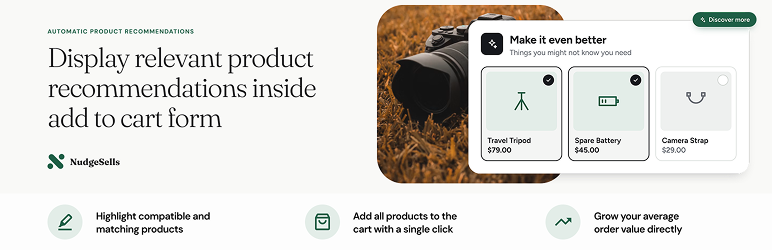
NudgeSells is a WooCommerce upsell and cross-sell plugin that sells the right extras at the moment customers decide to buy: right inside the add to cart form.
Every store has products that belong together: the bag that fits the laptop, the cable for the charger, the bigger model that is worth the extra money. NudgeSells offers them on the product page, directly above the add to cart button, and adds them to the cart together with the product in one click. No popups, no extra pages, no detours away from the checkout.
Define relationships, create an offer, start selling. Most stores are live in minutes, and your existing WooCommerce cross-sells and upsells work from day one.
Why NudgeSells sells more
Automatic product recommendations
NudgeSells works out what to offer for every product by itself. It uses the relationships you define and your WooCommerce cross-sells and upsells, and never offers what doesn’t make sense: products that are incompatible, already included, out of stock or already in the cart. Pro adds „frequently bought together” learned from your own orders, relationships for whole categories and tags, and ranking by what actually converts in your store.
Variation matching
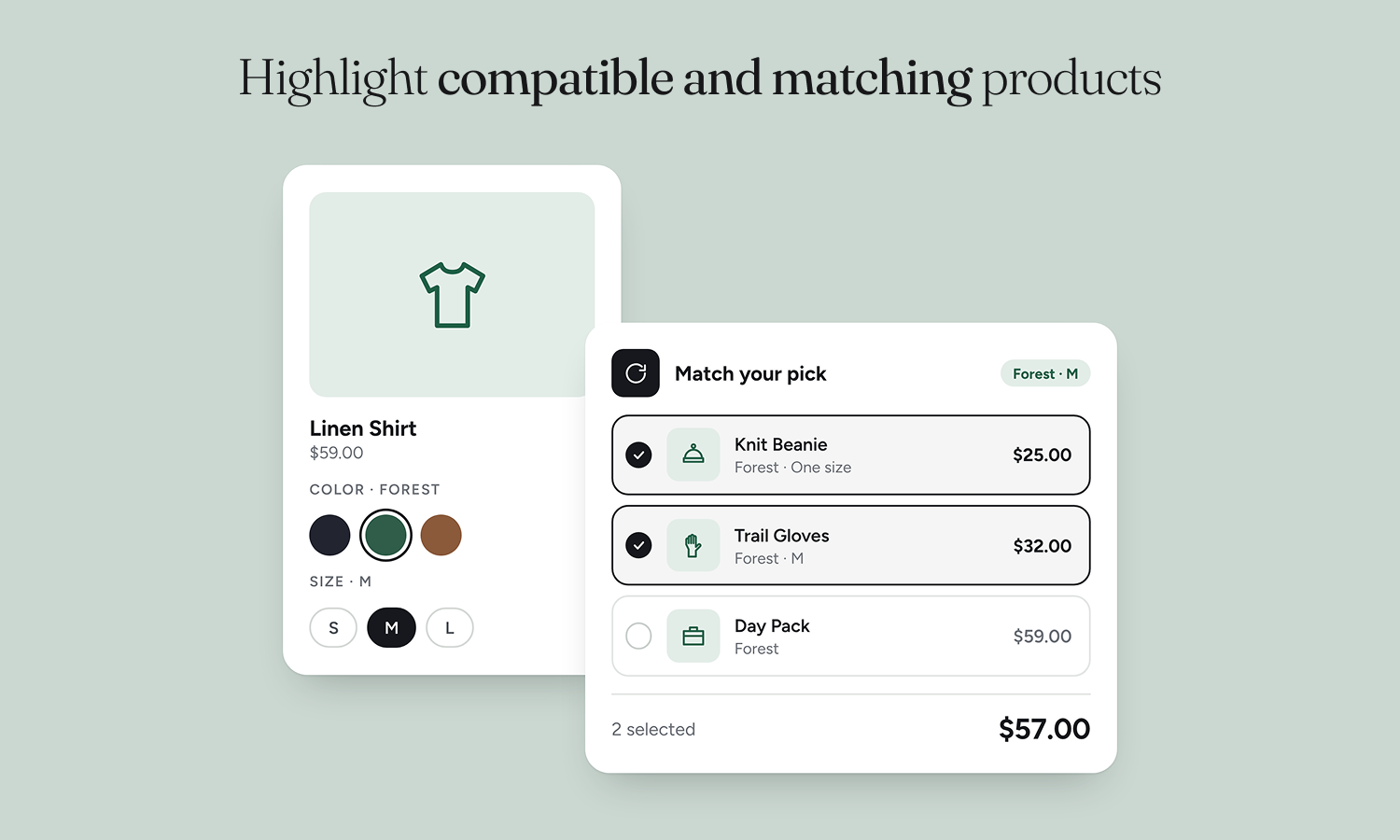
Customers choose the size, color or storage of a variable add-on or upgrade right inside the offer, without opening another page. With Pro, NudgeSells pre-selects the matching variation (the green case for the green phone, the same size as the shirt being viewed), offers can target specific variations, and the offer updates as the customer switches options.
Manual overrides
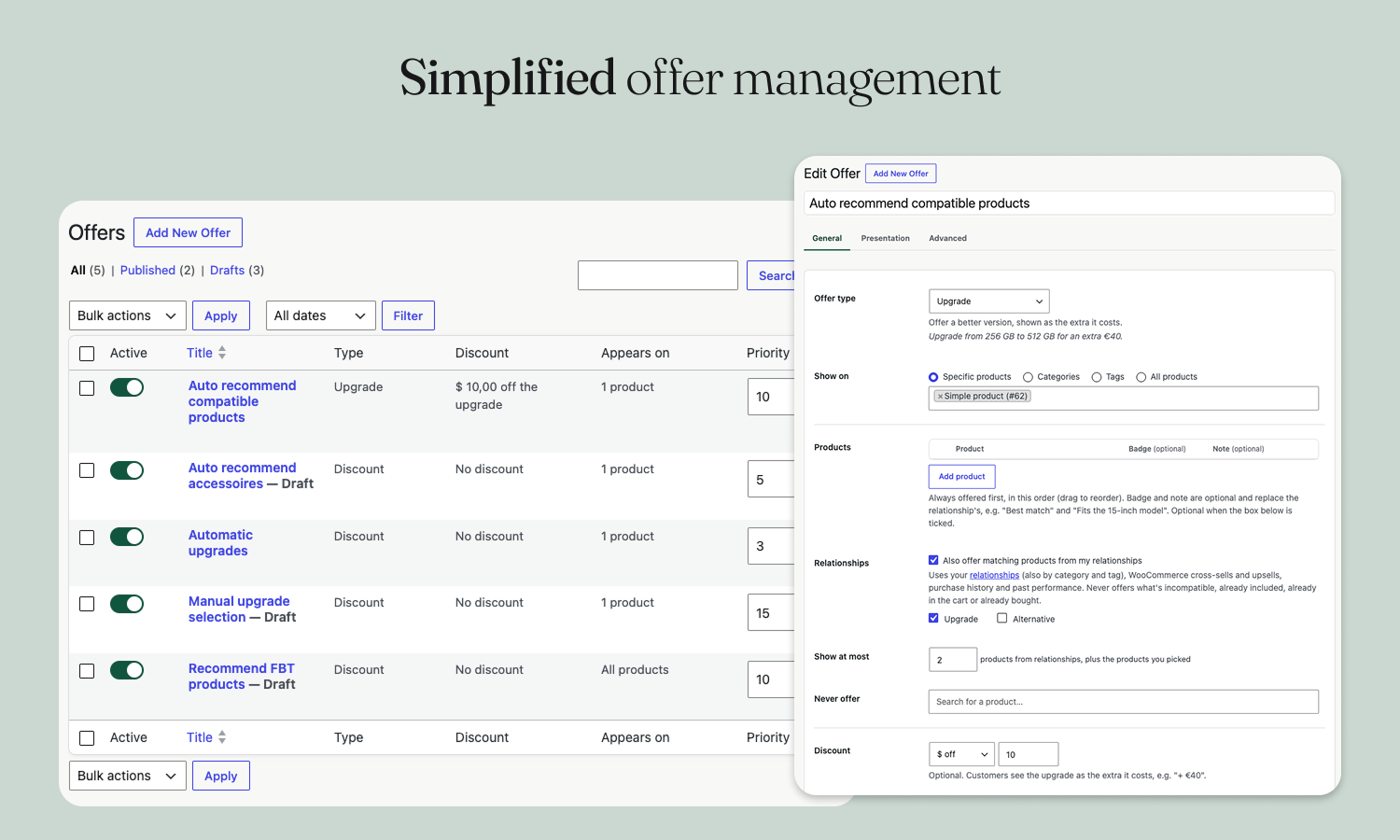
Automatic doesn’t mean out of control. Pick the products an offer always shows first, in your order. Exclude products with „Never offer”. Cap how many recommendations appear, set a minimum quantity, and set a priority when offers overlap. Or switch automatic recommendations off and hand-pick everything.
Embedded right in the add to cart form
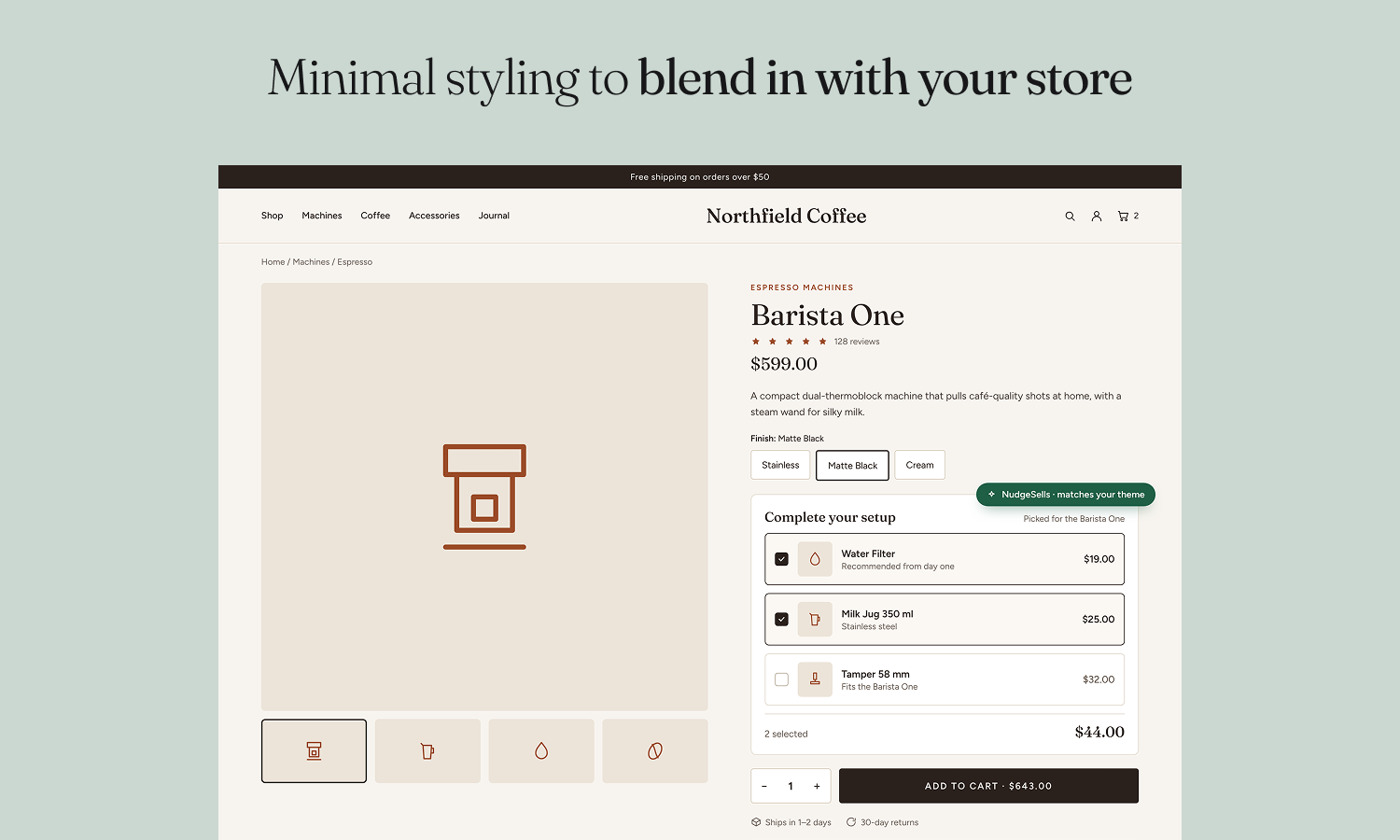
Offers sit where the buying decision happens: above the add to cart button, part of the product form itself. The price total and savings update live as customers tick extras or change the quantity. Show it as a floating card or inline with your theme, or place it anywhere with the block or the [nudgesells] shortcode.
Single click
One click on add to cart adds the product and every extra the customer picked, with the discounts already applied in the cart and at checkout. Free gifts are added automatically.
Six ways to discount (or not)
Every offer type works with the discount you choose, from full price to a fixed bundle price.
- No discount: recommend accessories and add-ons at full price. Cross-selling alone lifts average order value.
- Percentage discount: „Save 10% on a compatible protective case.” A % off every add-on bought together with the product, or off the whole set in a bundle.
- Fixed discount: „€5 off the charging cable.” A fixed amount off every add-on, or a fixed bundle price for the whole set: „Laptop bag and mouse together for €59.”
- Upgrade: sell the better version, shown as the extra it costs. „Upgrade from 256 GB to 512 GB for + €40.” Optionally with a discount on the upgrade.
- Free gift: a free product added to the cart automatically, one per product bought. Offer several and the customer chooses their own free gift. „Get a free cable with every premium charger.”
- Multi-buy (Pro): tiered „buy more, save more” discounts. „Pick 2 accessories and save 10%, 3 and save 15%.” add as many steps as you like.
Bundles combine any of these: a discount the customer unlocks by picking every product in the set, with a „Bundle discount unlocked” message as they go.
Product relationships, AI shopping and structured data
Relationships are the heart of NudgeSells. Tell it how your products relate, in one sentence: „Laptop Accessory Laptop Bag, Mouse”. One relationship can cover many products at once, with an optional note shown to customers („Fits 15-inch”).
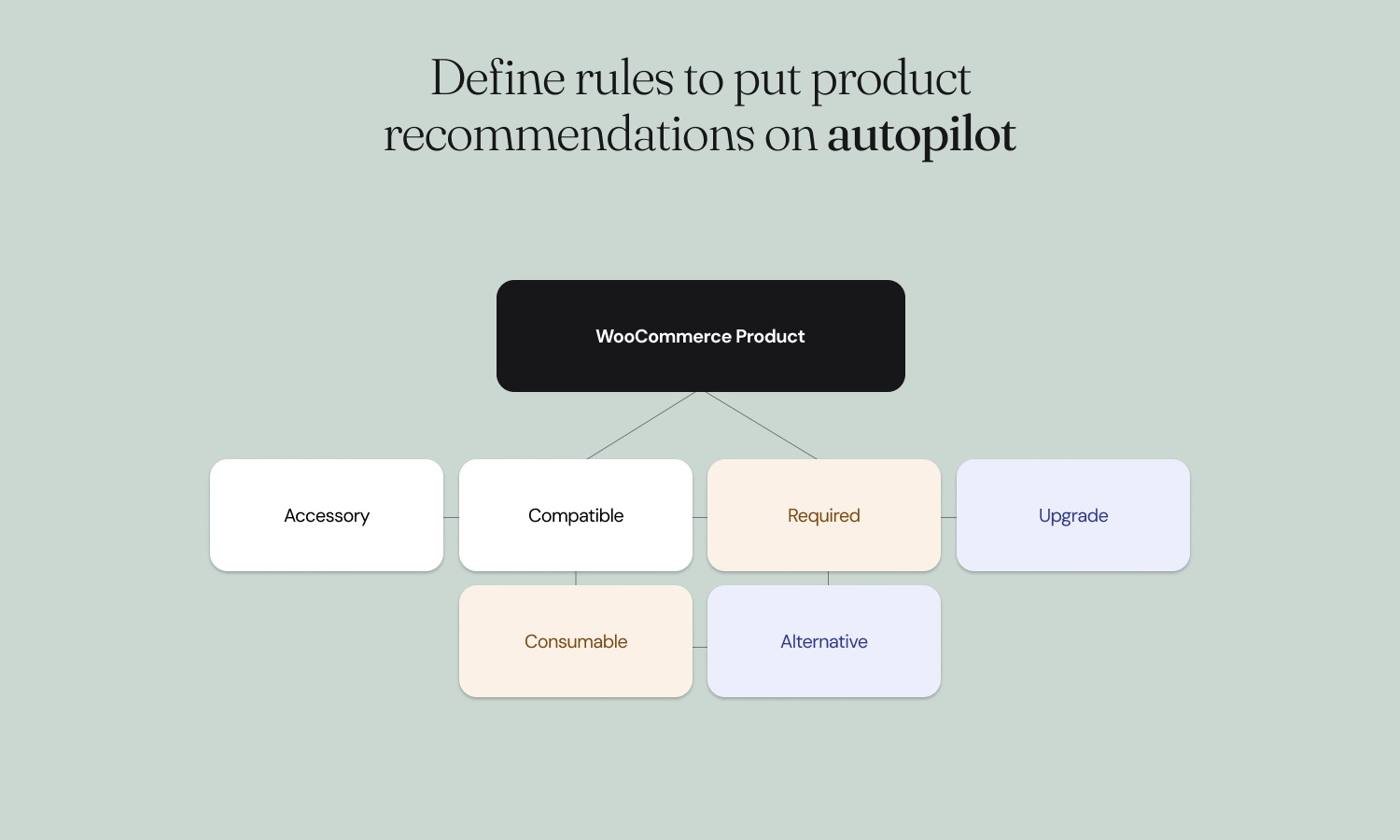
- Accessory and Upgrade cover most stores.
- Compatible, Required, Consumable and Alternative describe exactly what a product is for.
- Included and Incompatible make sure two products are never offered together.
Structured data for search engines. NudgeSells adds your product relationships to each product page’s schema.org structured data (isAccessoryOrSparePartFor, isConsumableFor, isOftenBoughtWith, isRelatedTo, isSimilarTo), so search engines understand which products belong together.
Ready for AI shopping assistants. A read-only REST API gives your own search, apps and AI shopping assistants typed product relationships with price and stock, including what a cart is still missing: the required items and consumables a customer forgot. AI agents get the same answers your customers see on the product page.
Know what works
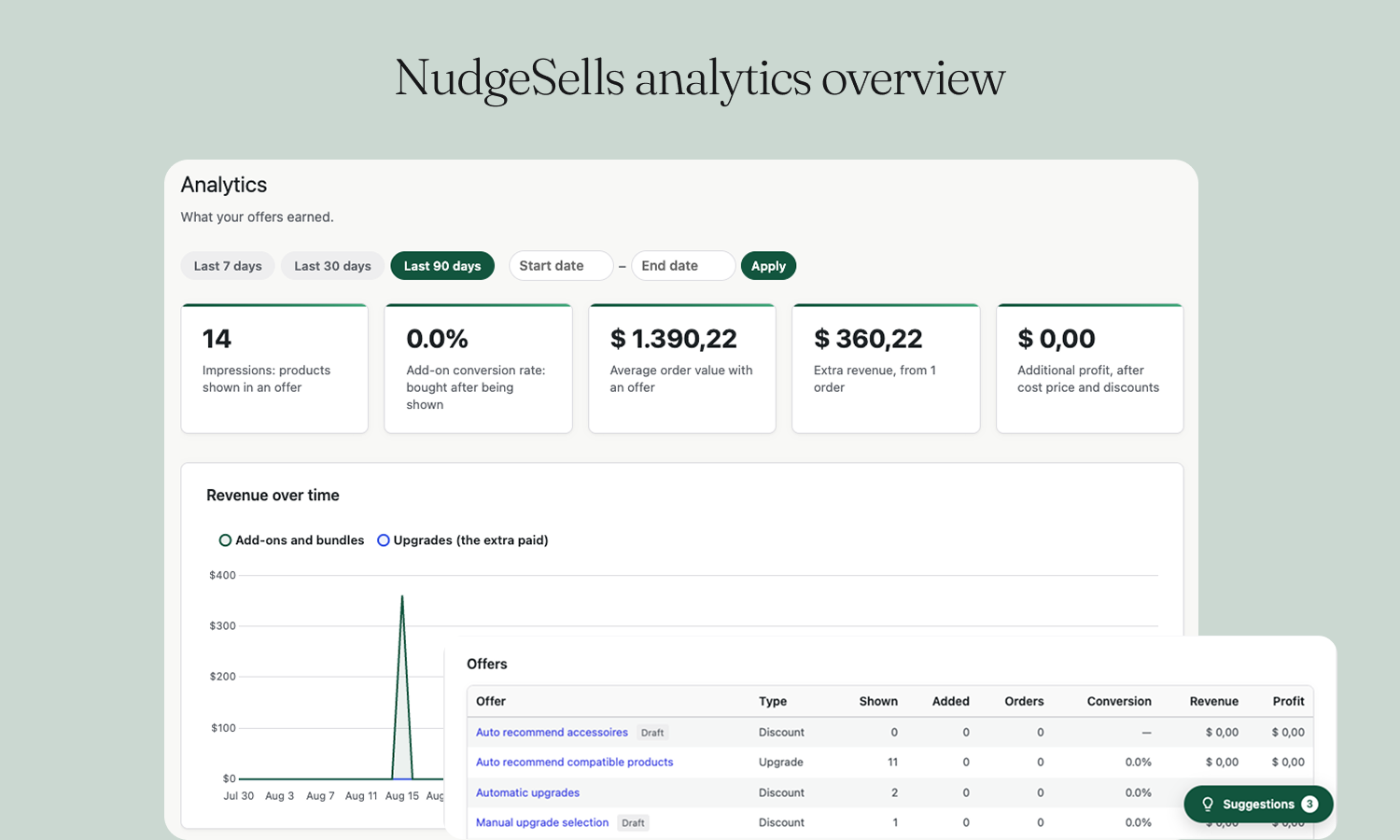
Analytics shows impressions, add-on conversion rate, average order value with and without an offer, extra revenue per offer and (Pro) the additional profit after cost price and discounts. Upgrades count the extra paid, and refunds and cancellations are taken off.
Test a product shows exactly what a product page displays, which offer it uses and why, and every product that was left out with the reason.
Free features
Offers
- Discount, Upgrade, Bundle and Free gift offer types
- No discount, percentage discount, fixed discount or fixed bundle price
- Free gifts with customer choice between several gifts, simple products or specific variations
- Automatic recommendations from your relationships and WooCommerce cross-sells and upsells
- Products always offered first, in your order, and a „Never offer” list
- Maximum number of recommendations per offer
- Minimum quantity: show the offer once the customer buys at least N, with an „add 1 more to unlock” message
- Customer condition: everyone, logged-in customers or guests
- Priority when offers overlap
- Pause any offer with an Active switch; change Active and Priority right in the offers list
- Heading, subline, icon and „Read more” link per offer
- List, card and dropdown layouts, per offer or store-wide
- Checkbox or quantity selection, with an optional +/- quantity stepper
- Never offers incompatible, included, out-of-stock or in-cart products
Storefront
- Embedded in the add to cart form, above the add to cart button
- Product and all extras added in a single click
- Live price total and savings as customers pick extras and change the quantity
- Option selectors for variable add-ons and upgrades inside the offer
- Floating card or inline style
- Gutenberg block and
[nudgesells]shortcode for page builders - Product images, savings badges („Save 15%”) and relationship badges („Compatible”)
- Product titles: not clickable, open in a new tab, or open in your theme’s Quick View
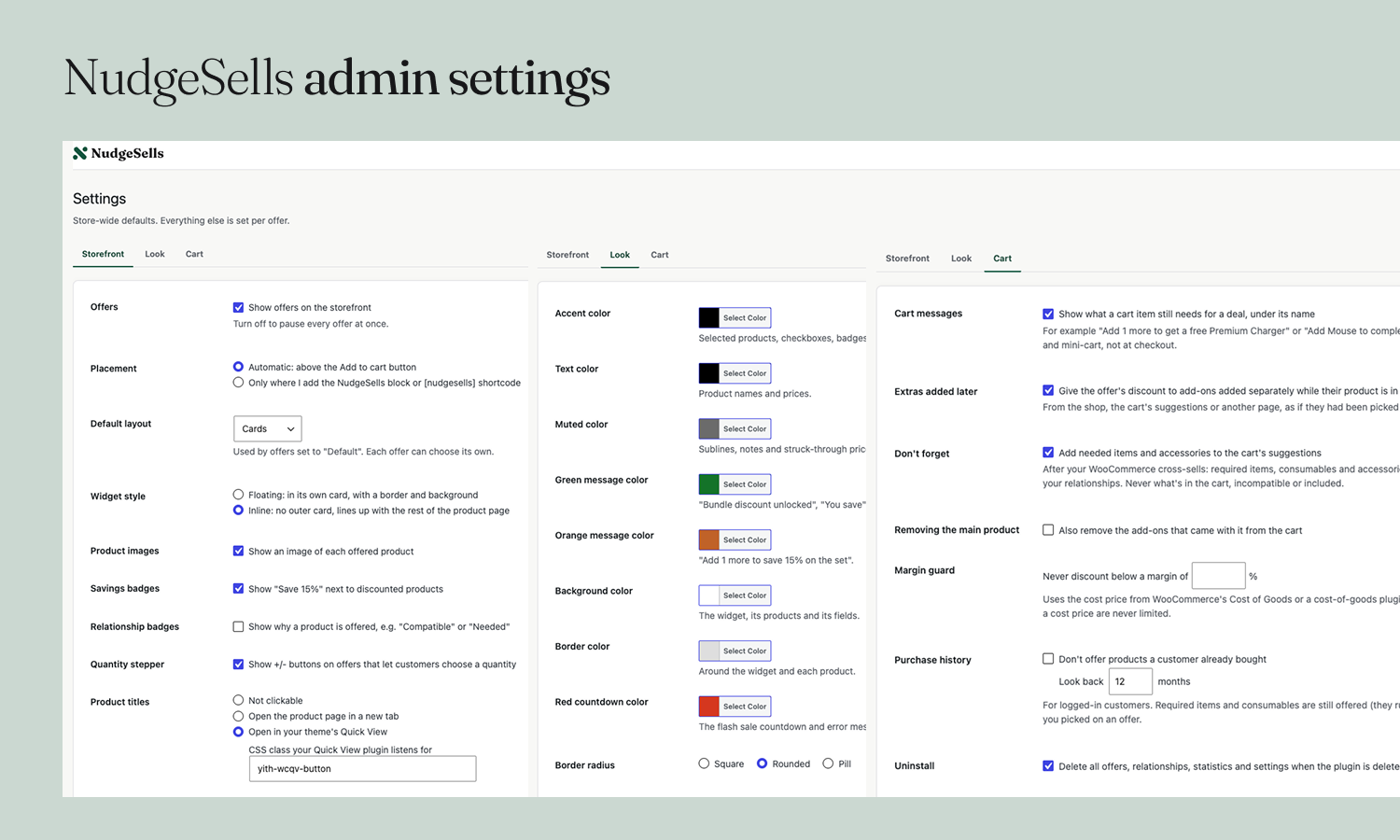
- Colors for accent, text, muted text, messages, background and borders, plus border radius
- Fonts inherited from your theme; template overridable in your theme
Cart and checkout
- Discounts applied in the classic and block cart and checkout
- Free gifts kept in sync with the product’s quantity, removable by the customer
- Optionally remove the add-ons when the main product is removed
- Cart messages under each item: „add 1 more to get a free Premium Charger”, „add Mouse to complete the set and save 15%”, in the cart and mini-cart
- Extras added later (from the shop or the cart) still get the offer’s discount
- „Don’t forget”: the cart’s cross-sells also suggest required items, consumables and accessories of what’s in the cart
Relationships and data
- Accessory, Upgrade, Compatible, Required, Consumable, Alternative, Included and Incompatible
- Relationships between one or many products, with notes shown to customers
- Test a product: what shows, why, and what was left out
- Analytics: impressions, conversion rate, average order value, extra revenue, per offer
- schema.org structured data on product pages
- Read-only REST API for search, apps and AI shopping assistants
Compatibility
- Simple, variable and subscription products (WooCommerce Subscriptions)
- WooCommerce Product Bundles, YITH WooCommerce Product Bundles and WPC Product Bundles
- WPML, Polylang, WOOCS and Aelia Currency Switcher
- High-Performance Order Storage (HPOS)
Pro features
- Multi-buy offers: tiered „buy more, save more” discounts with unlimited steps
- Frequently bought together: learned from your orders, with suggested relationships to confirm or dismiss
- Smart ranking: products that convert best in your store are shown first
- Catalog similarity: finds better versions for upgrades automatically
- Category and tag relationships: one relationship for a whole category
- Attribute matching: pre-select the same color or size as the product being viewed
- Variation offers: offers for specific variations
- Purchase history: skip products a logged-in customer bought in the last months (you choose how many)
- Margin guard: never discount below your minimum margin
- Profit analytics: additional profit after cost price and discounts
- Suggestions: a panel on the Analytics and Relationships pages with one-click fixes: raise the discount on an offer that’s seen but rarely bought, remove out-of-stock products from offers, create offers for best sellers, and save products bought together as relationships
- Scheduling: start and end dates per offer, with an optional flash sale countdown
- Customer roles: offers for wholesale, members or any user role
- Experiments: A/B test two offers and see which sells more
- Import and export: offers as JSON, relationships as CSV
Képernyőmentések


Blokkok
This plugin provides 1 block.
- NudgeSells recommendations Shows the product's NudgeSells offer (add-ons, setup and upgrades). Use it on single product templates.
Telepítés
- Install the plugin from WordPress.org, or upload it under Plugins add New.
- Activate NudgeSells. WooCommerce must be active.
- Open NudgeSells Relationships and add a few for your best sellers: their accessories and upgrades.
- Open NudgeSells Offers and create an offer: pick a type, the products it shows on, and the discount.
- Publish. The offer appears above add to cart, and NudgeSells Analytics shows what it earns.
GYIK
-
What is the best way to upsell in WooCommerce?
-
Offer the right extras at the moment of decision, and make them effortless to add. NudgeSells shows accessories, upgrades and bundles inside the add to cart form and adds them with the product in one click, without popups or extra pages.
-
Does NudgeSells require WooCommerce?
-
Yes. WooCommerce must be installed and activated.
-
Do I have to set up relationships for every product?
-
No. One relationship can cover several products at once, an offer can simply list the products to offer, and your existing WooCommerce cross-sells and upsells are used automatically. Pro adds relationships for whole categories and tags and learns „frequently bought together” from your orders.
-
Can I create product bundles?
-
Yes. A Bundle offer gives a percentage or fixed discount, or a fixed price, once the customer picks every product in the set. Tiered multi-buy discounts are part of Pro.
-
Can I give away a free gift with a purchase?
-
Yes. A Free gift offer adds a free product to the cart automatically, one per product bought. Offer several gifts and the customer chooses one on the product page.
-
Can I recommend variable products?
-
Yes. Customers choose the variation of an add-on or upgrade right inside the offer. Pro pre-selects the matching color or size and lets offers target specific variations.
-
No. NudgeSells shows its offers above the add to cart button so customers can add them in one click. Your theme’s related products section stays as it is.
-
Can search engines and AI assistants read my product relationships?
-
Yes, read-only. Search engines read them from the product page’s structured data. Your own search, apps or AI assistants can use the REST API:
GET /wp-json/nudgesells/v1/products/{id}/relationships: typed relationships with price, stock and category. Filter withtypes,min_price,max_price,in_stock,source=merchantandlimit; passvariationfor color/size-matched results andcartto get what that cart is still missing.GET /wp-json/nudgesells/v1/cart/missing?products=12,34: the required items and consumables those products still need, with a total.GET /wp-json/nudgesells/v1/relationship-types: what each type means.
Nothing is writable and hidden products are never included. Developers can switch them off with the
nudgesells_structured_data_enabledandnudgesells_rest_enabledfilters. -
Can I choose where the offers appear?
-
Yes. By default they show above the add to cart button. In a block theme, add the „NudgeSells recommendations” block to the single product template (Appearance Editor); with a page builder, use the
[nudgesells]shortcode. Settings Storefront Placement can limit offers to the block and shortcode. -
Can I customize the appearance?
-
Yes. Settings Look sets the accent, text, muted, message, background and border colors and the border radius; Settings Storefront chooses the layout, floating or inline style, images, badges and product title links. Fonts come from your theme.
-
Can my theme style the offers?
-
Yes. Product images, prices and links come from WooCommerce itself, so WooCommerce’s and your theme’s filters apply. Prices can be changed with the
nudgesells_product_price_htmlfilter, the template can be overridden in your theme (copy it toyour-theme/nudgesells/nudgesells-public-display.php), and thenudgesells_load_stylesfilter turns off the plugin’s styles. -
Why isn’t a product showing up?
-
Relationships Test a product shows what a product page displays, which offer it uses and why, and every product that was left out with the reason (out of stock, already in the cart, incompatible, ranked below the maximum, and so on).
-
Does NudgeSells add popups, exit-intent or email features?
-
No, on purpose. NudgeSells does one thing: offer the right products at the right moment, inside the product page.
-
Does it support WooCommerce Subscriptions?
-
Yes. Subscription products can be recommended, added and upgraded like any other product, with their billing terms shown next to the price. An upgrade between plans that bill alike shows what it adds, e.g. „+€5 / month”; between a monthly and a yearly plan (or a one-off product and a subscription) it shows the plan’s own price. Free trials and sign-up fees are shown too.
-
Does it work with the block cart and checkout?
-
Yes. Discounts and free gifts work in both the classic and the block cart and checkout.
-
Does it support HPOS, WPML, Polylang and multiple currencies?
-
Yes. NudgeSells is compatible with High-Performance Order Storage, WPML, Polylang, WPML multi-currency, WOOCS and Aelia Currency Switcher.
Vélemények
Nincsenek értékelések erről a bővítményről.
Közreműködők és fejlesztők
“NudgeSells – Inline product recommendations for WooCommerce” egy nyílt forráskódú szoftver. A bővítményhez a következő személyek járultak hozzá:
Közreműködők
“NudgeSells – Inline product recommendations for WooCommerce” fordítása a saját nyelvünkre.
Érdekeltek vagyunk a fejlesztésben?
Browse the code, check out the SVN repository, or subscribe to the development log by RSS.
Változási napló
1.0.0
- Initial release.