
Leírás
Inquiry Button for WooCommerce allows you to add a customizable WhatsApp inquiry button to your WooCommerce product pages. This makes it easier for customers to contact you directly for more information about your products.
Key Features:
- Enable or disable the inquiry button.
- Customize the WhatsApp number, inquiry message, and button text.
- Seamless integration with WooCommerce product pages.
Képernyőmentések

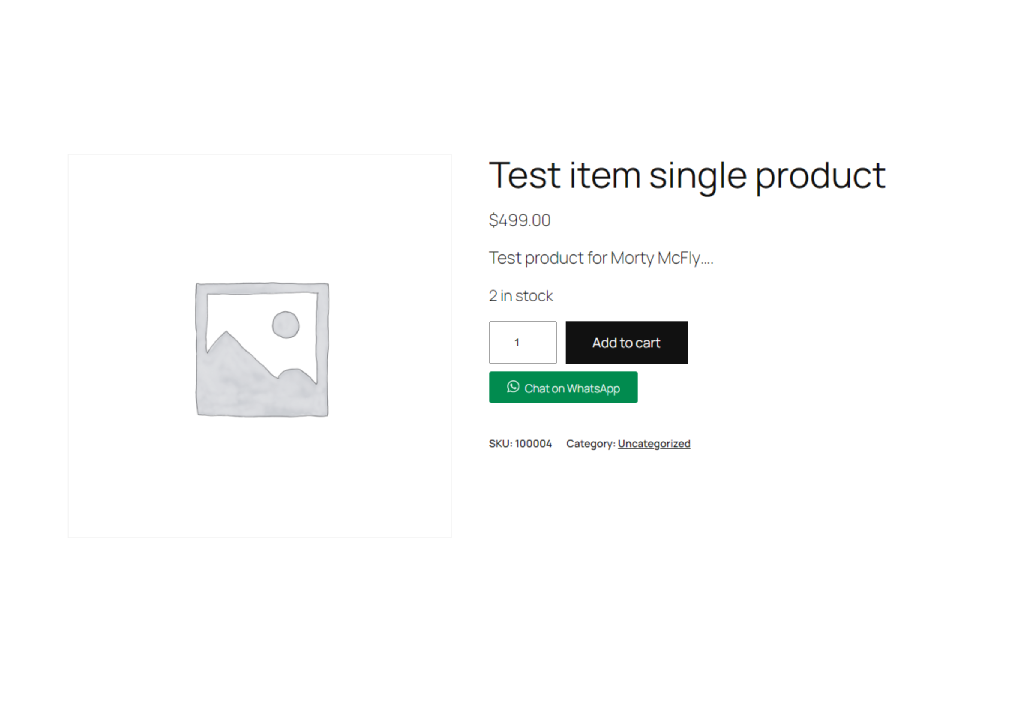
Telepítés
- Download the plugin ZIP file.
- Go to your WordPress dashboard.
- Navigate to Plugins > Add New.
- Click „Upload Plugin” and choose the downloaded ZIP file.
- Click „Install Now” and then „Activate Plugin.”
GYIK
-
How do I configure the plugin?
-
Go to the „Woo Inquiry” admin page in your WordPress dashboard. From there, you can enable the button, set your WhatsApp number, define the inquiry message, and customize the button text.
-
Can I use a different messaging platform instead of WhatsApp?
-
This version of the plugin is specifically designed for WhatsApp. If you need support for other platforms, contact the plugin author for customization.
-
Yes, the button is designed to be fully responsive and works well on all devices.
Vélemények
Nincsenek értékelések erről a bővítményről.
Közreműködők és fejlesztők
“Inquiry Button for WooCommerce” egy nyílt forráskódú szoftver. A bővítményhez a következő személyek járultak hozzá:
Közreműködők
“Inquiry Button for WooCommerce” fordítása a saját nyelvünkre.
Érdekeltek vagyunk a fejlesztésben?
Browse the code, check out the SVN repository, or subscribe to the development log by RSS.
Változási napló
** 1.0 **
* Initial release with customizable WhatsApp inquiry button for WooCommerce.