

Leírás
Manage custom post types, custom taxonomies, and custom fields plus essential security hardening in one simple WordPress plugin.
Features:
– Custom Post Types: Create and manage custom post types with unique slugs, menu icons, and capabilities.
– Custom Taxonomies: Create hierarchical or non-hierarchical taxonomies and link them to any post type.
– Custom Fields: Add custom fields to posts, including text fields, image uploads, URLs, and more.
– Repeating Fields: Supports repeating fields for text, images, and other field types.
– Flexible Display Options: Control the display order, position, and priority of custom fields in the post editor.
– Field Background Colors: Set background colors for custom fields to visually distinguish fields in the post editor.
– Security: Harden your site with login page protection, maintenance mode, and more.
– Thumbnail Support: Add thumbnails to the post admin list for selected post types.
Custom Fields
- text
- textarea
- url
- number
- image
- checkbox
- radio
- select
Custom Post Types
- Capability
- Archive
- Hierarchical
- Thumbnail
- Revisions
- Excerpt
Custom Taxonomies
- Apply to Post Types
- Hierarchical
Security
- XML-RPC, X-Pingback
- REST API
- REST Route
- Author Query
- readme.html
- Login history
- Login Page Protection
- Maintenance Mode
- Password Protected
- Maintenance Schedule (Pro)
- Recurring Maintenance Schedule (Pro)
Others
- Add thumbnails to the post admin list.
- Add ID to the post admin list.
latest information on LIQUID PRESS.
How to get custom field data
LIQUID BLOCKS plugin for easy to get field data.
Custom field block allows you to output custom field data with no code.
Supports block editors and block themes.
Another way, Get field data securely using WordPress core functions.
Text field
get_post_meta( $post->ID, 'key', true );
Repeat text fields
$key = get_post_meta( $post->ID, 'key', true );
foreach ( $key as $value ) {
    echo esc_html( $value );
}
Image field
wp_get_attachment_url( get_post_meta( $post->ID, 'key', true ) );
Repeat image fields
$key = get_post_meta( $post->ID, 'key', true );
foreach ( $key as $value ) {
    echo wp_get_attachment_url( esc_html( $value ) );
}
Képernyőmentések
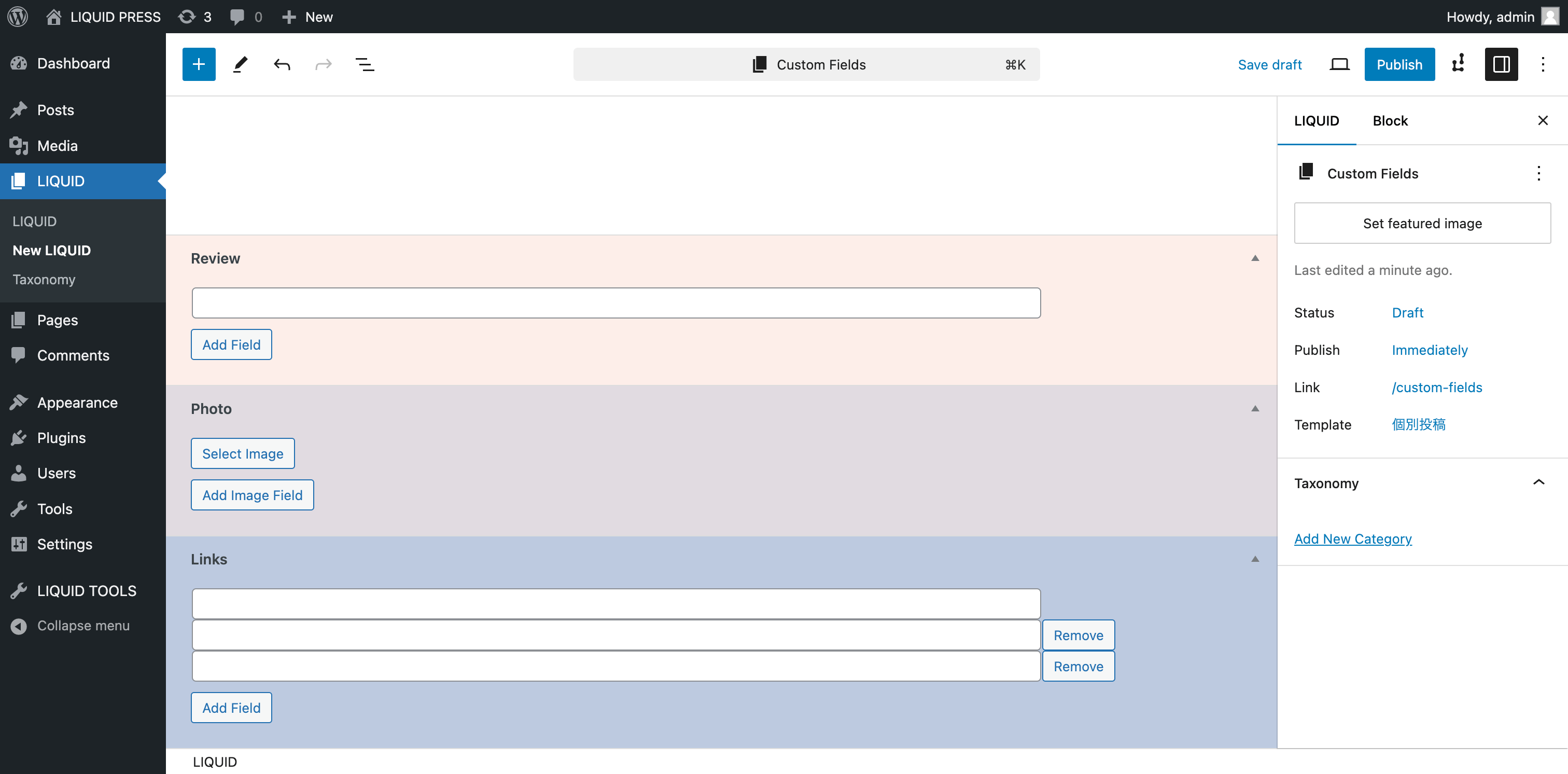
Custom Fields on Editor 
Custom Post Types 
Custom Taxonomies 
Custom Fields 
Security
Telepítés
- Upload ‘liquid-tools’ to the ‘/wp-content/plugins/’ directory
- Activate the plugin through the ‘Plugins’ menu in WordPress
- Set ‘LIQUID TOOLS’ in the admin menu
GYIK
-
Q: Can I use this plugin with other custom post type plugins?
-
A: Yes, LIQUID TOOLS works independently and can be used alongside other plugins that manage custom post types.
Vélemények
Nincsenek értékelések erről a bővítményről.
Közreműködők és fejlesztők
“LIQUID TOOLS – Custom Fields, CPT & Security” egy nyílt forráskódú szoftver. A bővítményhez a következő személyek járultak hozzá:
Közreműködők
“LIQUID TOOLS – Custom Fields, CPT & Security” 1 nyelvre lett lefordítva. Köszönet a fordítóknak az áldozatos munkájukért!
“LIQUID TOOLS – Custom Fields, CPT & Security” fordítása a saját nyelvünkre.
Érdekeltek vagyunk a fejlesztésben?
Browse the code, check out the SVN repository, or subscribe to the development log by RSS.
Változási napló
1.1.0
- Add Security features.
1.0.0
- A first version.